Tutorial: registering, opening an account and trading with ICM Brokers



ICM Brokers is one of the financial institutions that provide services to Iran. This broker, which started operating in 2007, operates under Seychelles regulation and aims to make the forex market accessible and suitable for traders. In this article, we will walk through the whole process step by step with screenshots, from registering with ICM broker to opening an ICM Brokers account, identity verification, deposits and withdrawals, and getting support.
Accessing the official ICM Brokers website from Iran
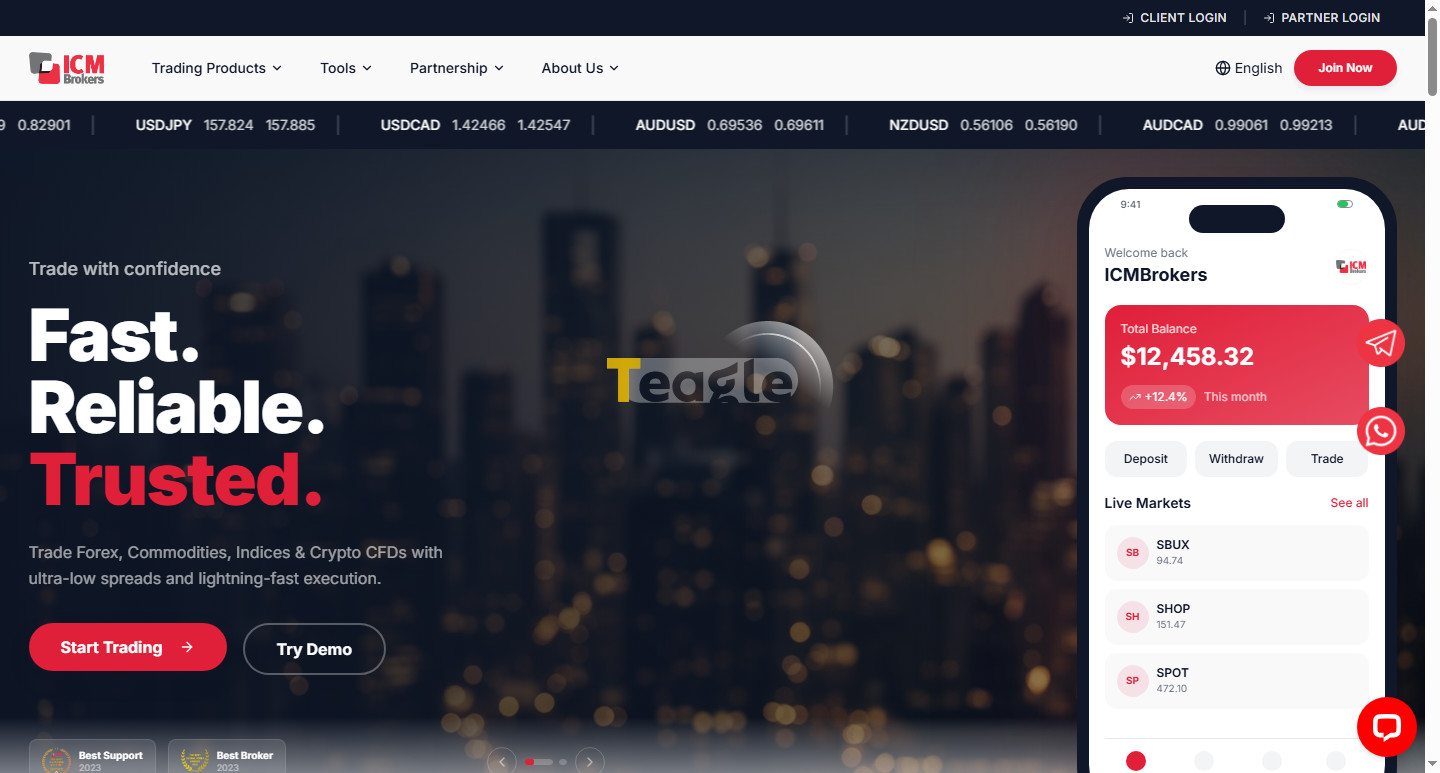
The verified domain for accessing the official ICM Brokers website is available at icmbrokers.com After entering the site, you will see this broker's home page, which is in English. At the time of writing, the language switch option on this broker's site was disabled, which may be due to technical issues.
This broker provides services to Iranians, and regarding access to the ICM Brokers website for Iranians inside the country, we should note that there is no need to change your IP; at the time of writing, the website was compatible with Iranian IPs.
ICM trading servers and choosing the right server
MetaTrader 5 is the trading platform offered by ICM Brokers. To check this broker's trading servers, we opened MetaTrader and searched for the broker's name; two companies from ICM Brokers were available, ICM Brokers Ltd and International Capital Markets Brokers LLC, the first being the company registered in Mauritius and the second the company registered in Saint Vincent.
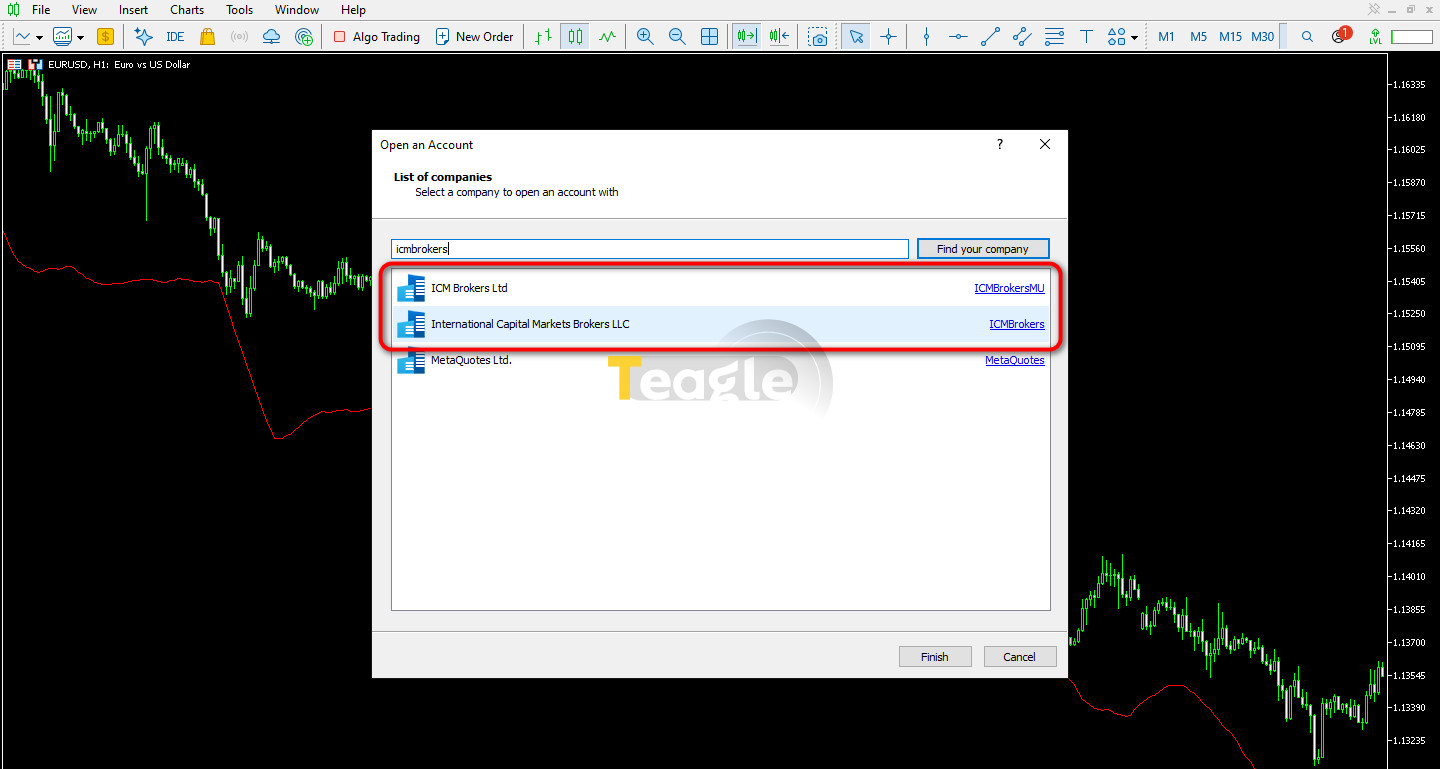
By clicking on each of these two companies, we found that each offers one trading server; the name of each server is listed in the table below.
|
Company name |
Server |
|
ICM Brokers Ltd |
ICMBrokersMU-Server |
|
International Capital Markets Brokers LLC |
ICMBrokers-Server |
Downloading the ICM Brokers trading platform
ICM Brokers offers the MetaTrader 5 trading platform for placing orders in the market. According to our review of this broker's official website, no link was provided to download ICM Brokers MetaTrader 4; therefore, the only available platform is ICM Brokers MetaTrader 5. The broker also offers an app for checking the trader's current capital status in the market. The download links for these programs are listed below:
|
Download |
Trading platform |
|
Download ICM Brokers MetaTrader 5 for Windows |
MetaTrader 5 |
|
ICMB INVESTOR PORTAL |
ICM Brokers registration tutorial (step by step)
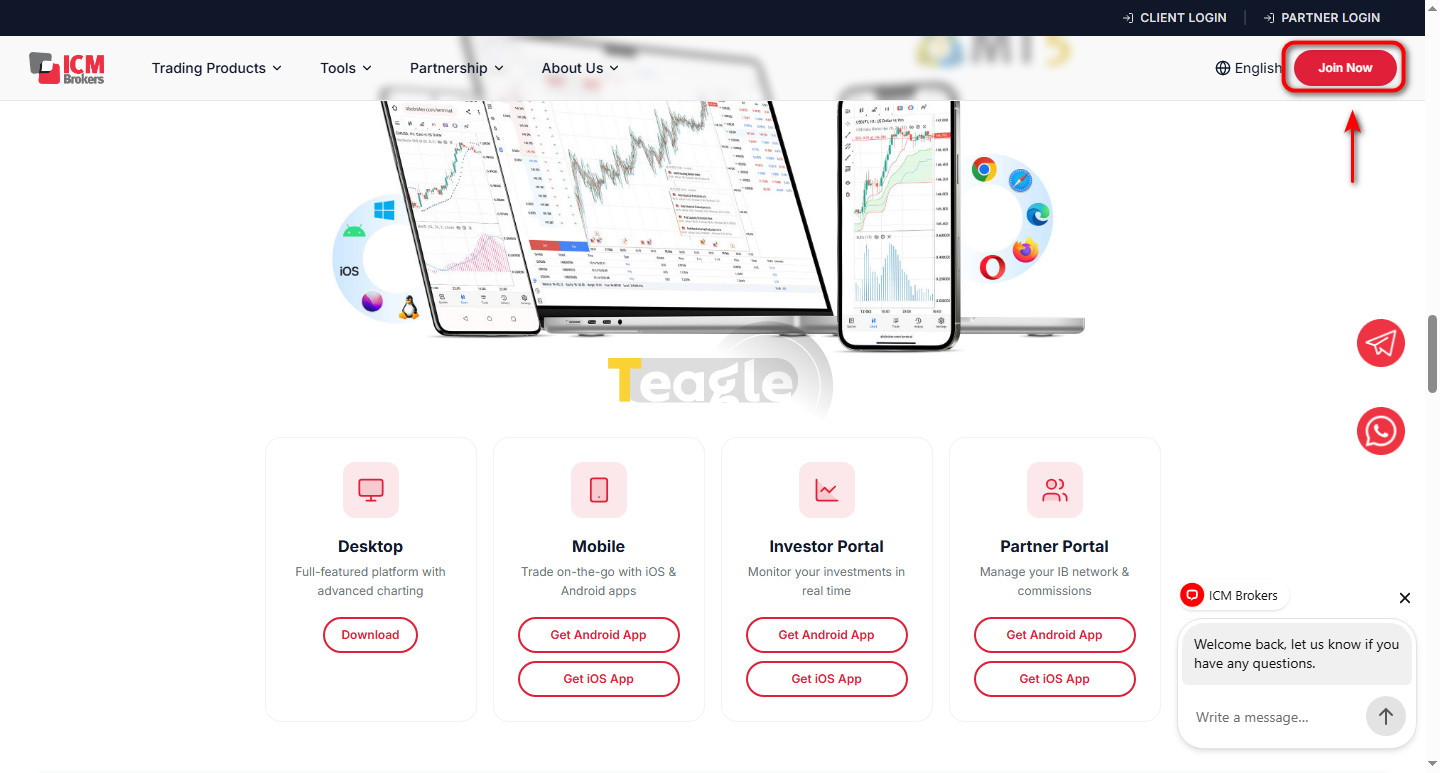
To register with ICM broker, go to the broker's website, click Join Now and follow the steps below:
Registration 1
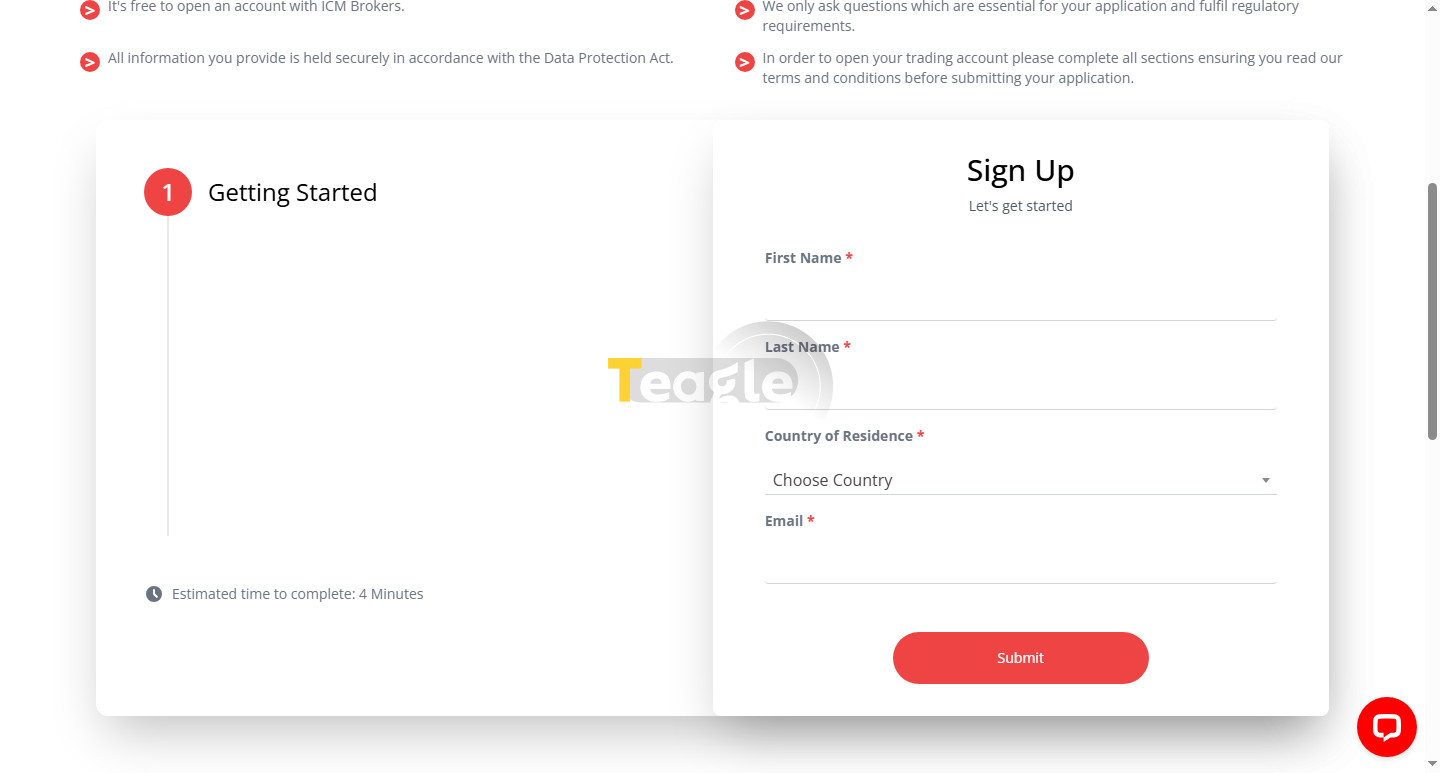
1. On the page that opens, enter your basic information, including your first and last name, country of residence and email, then click Submit.
Registration 2
2. After you enter your information, a confirmation message is sent to your email, which you need to confirm.
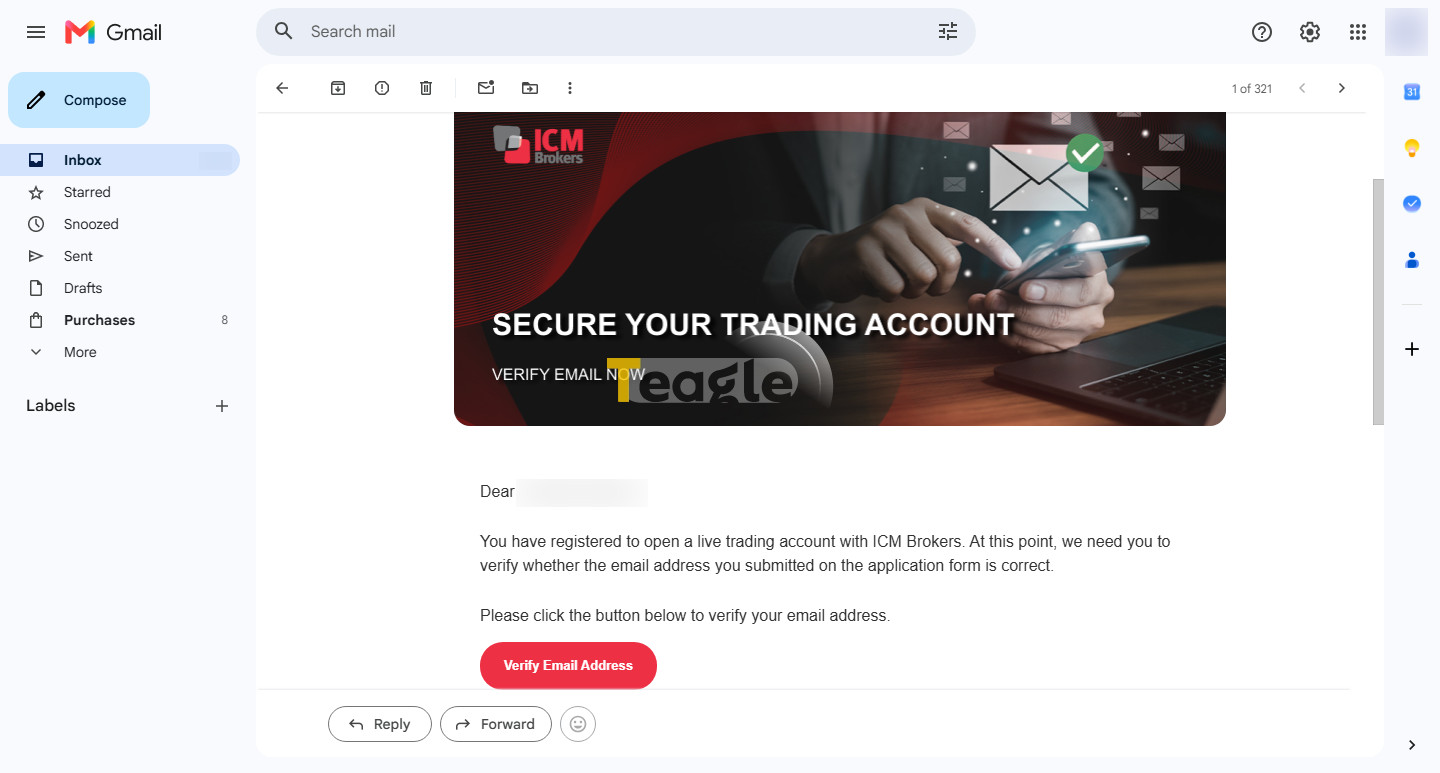
Registration 3
3. After confirming your email, you are taken to a page where you need to click Click here.
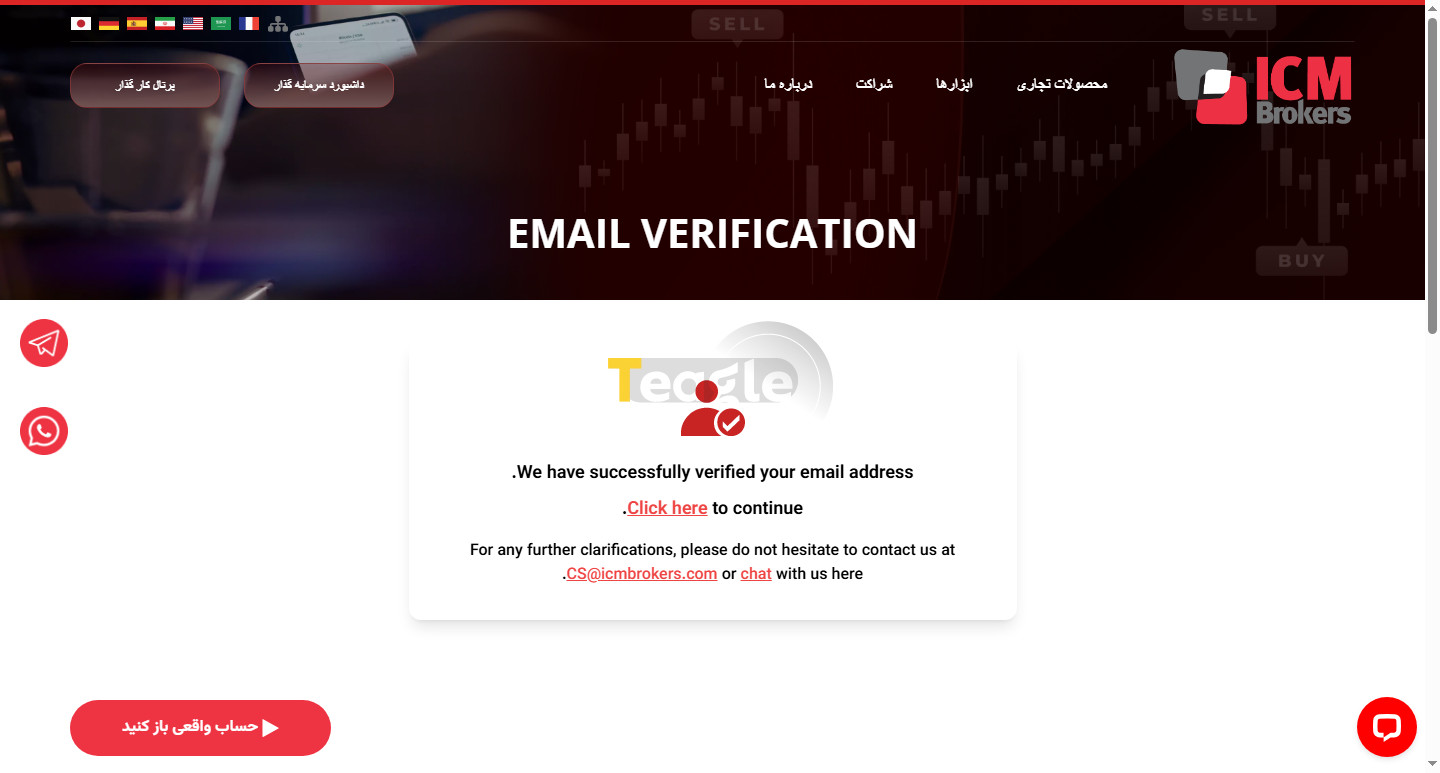
Registration 4
4. You are then taken to a page where you need to fill in its various sections with information such as your address, account type, financial information, etc. to complete your registration.
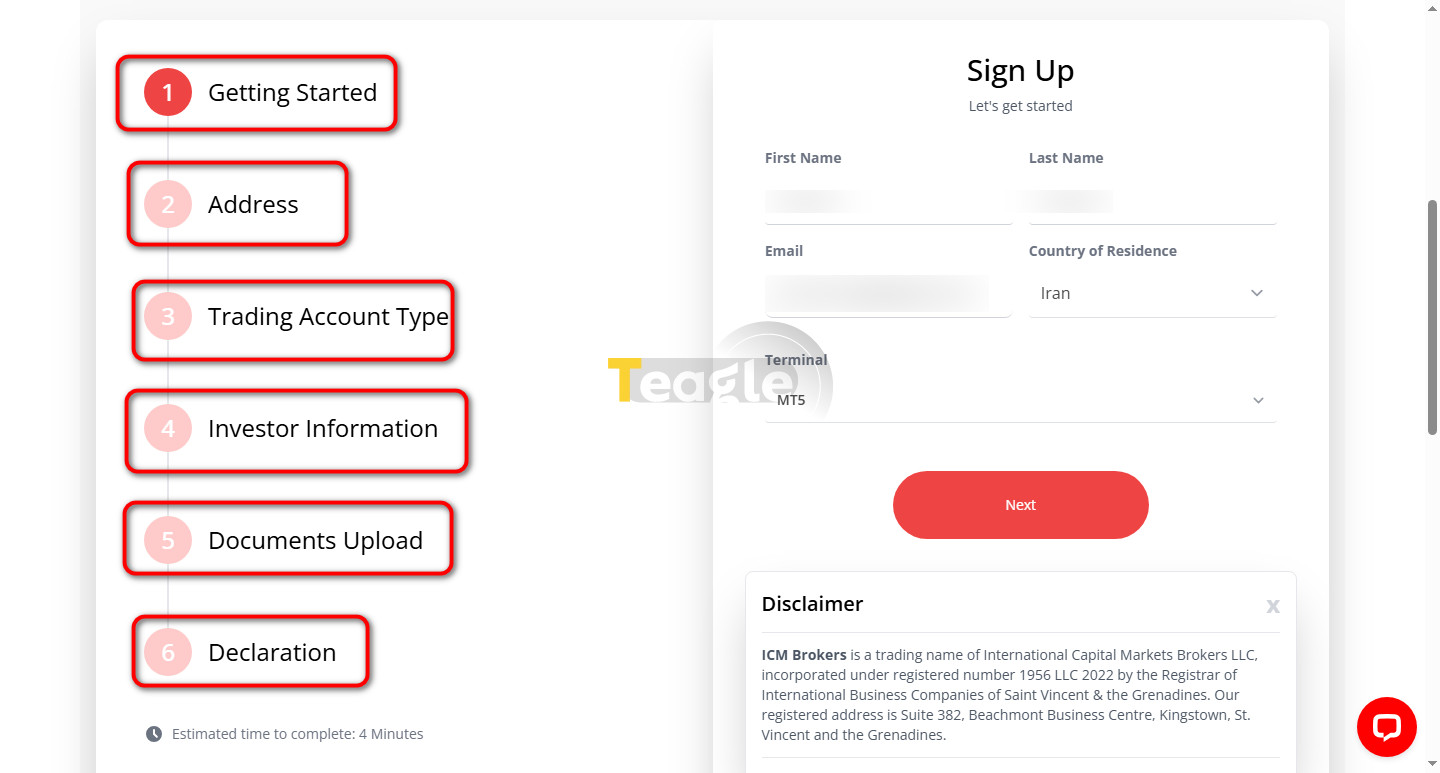
Registration 5
Identity verification (KYC) with the required documents at ICM Brokers
Identity verification at ICM broker is part of the registration process, and you need to upload the required identity document right at the start of registration. At this stage, you need to choose one of the three requested documents, namely a passport, national ID card or driver's license, and upload an image of it. This section appears as Document Upload in the registration steps.
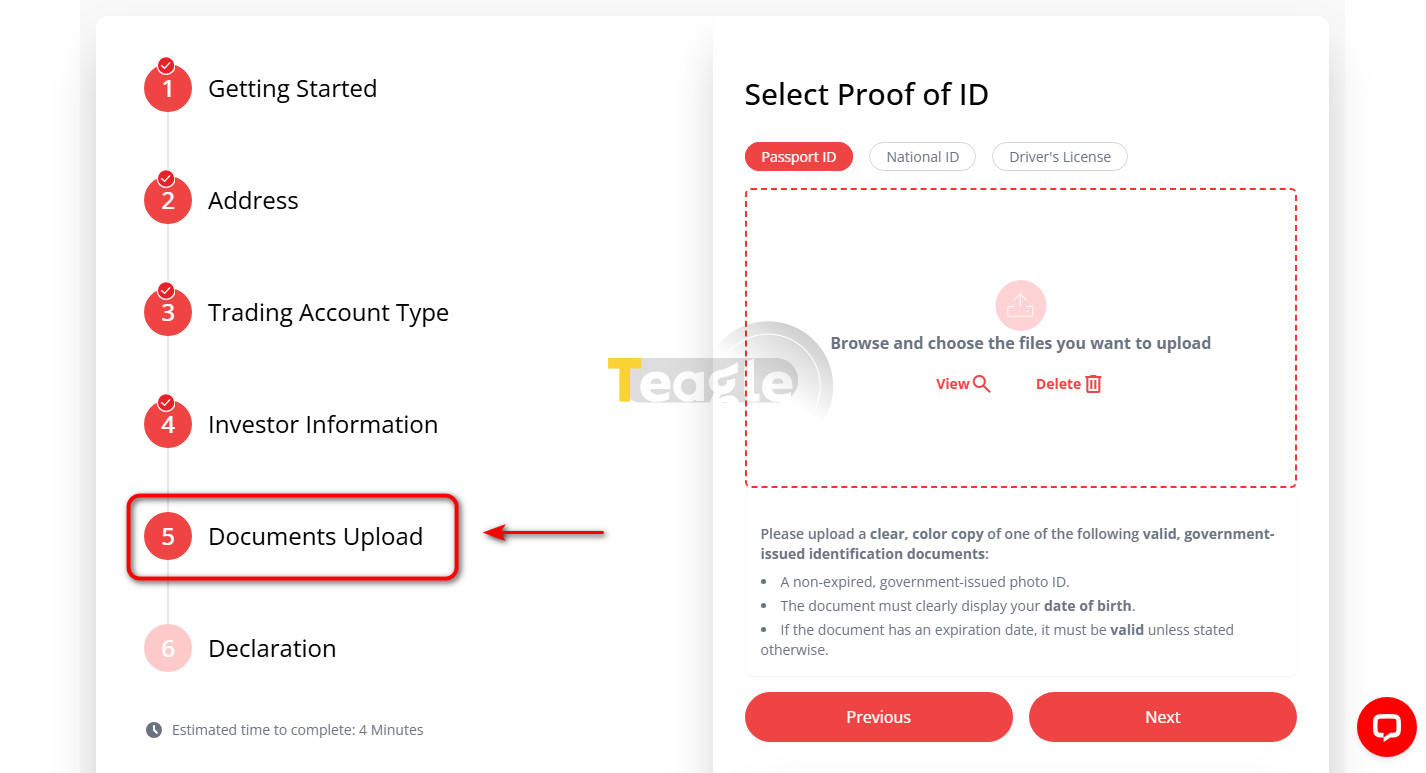
Identity verification
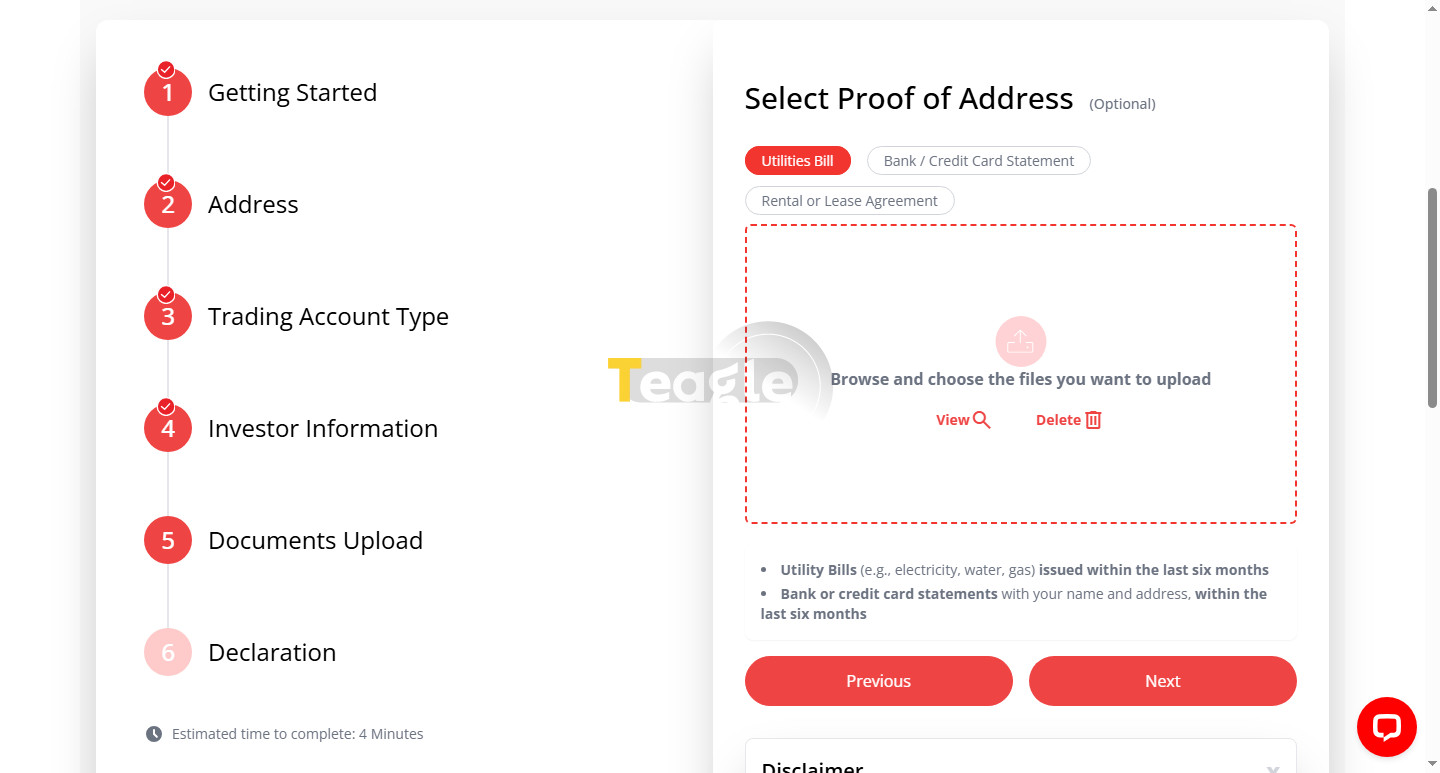
After uploading, click Next. At this stage you are asked for proof of address, and you need to upload one of three documents: a utility bill (such as water, electricity or gas), a bank credit card, or a property deed or lease agreement.
Identity verification 2
The uploaded documents are reviewed by the broker's staff and, once approved, your identity verification is complete.
Choosing and opening an ICM Brokers trading account
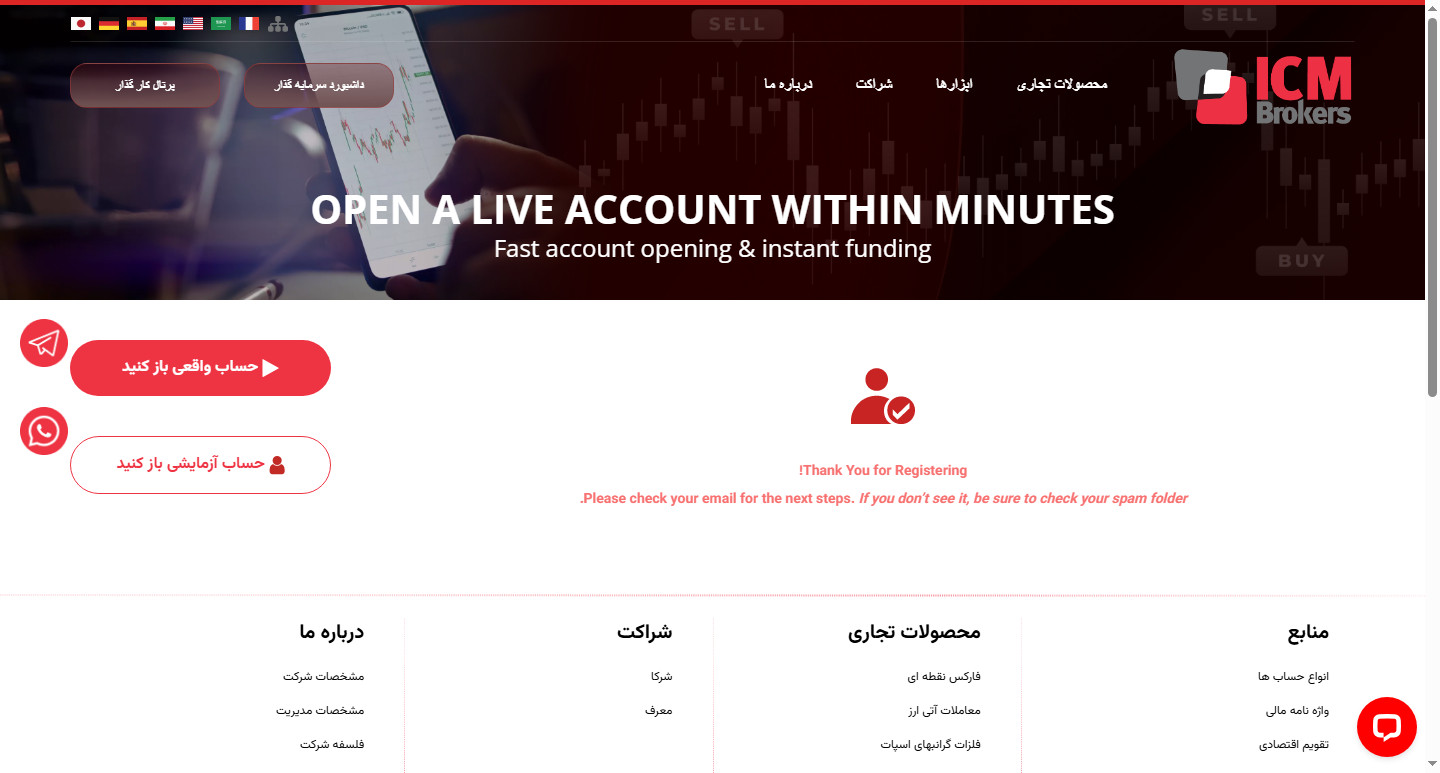
Once your registration is complete, you will be taken to your user dashboard. To open an ICM brokers trading account, click on the «Open a real account» option.
Account opening 1
After clicking, you are taken back to the registration page, which looks like a technical problem with the account. But looking closely at the text under the person icon in the image above, we see that the account details have already been sent to our email, and we can use them to log in to the MetaTrader platform. To learn how to connect your account to MetaTrader, click on this link .
Opening a demo account for learning and practice
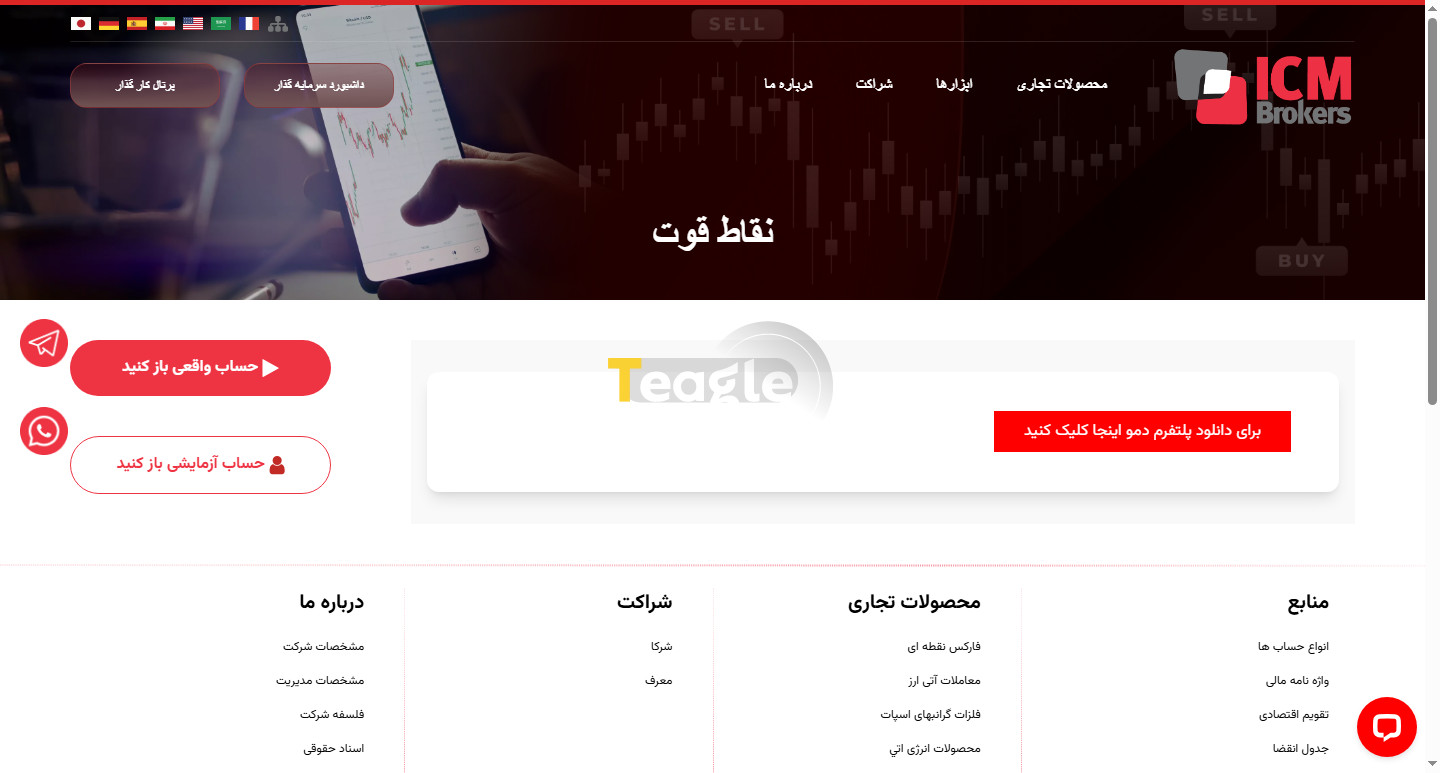
To open a demo account with ICM Brokers, you need to click the «Open a demo account» option in your user panel and download the ICM Brokers demo platform, which is actually MetaTrader 4. Although, as we explained earlier, this broker's main platform is MetaTrader 5, only its demo account connects to MetaTrader 4.
How to Fund Your Account and Deposit at ICM Brokers
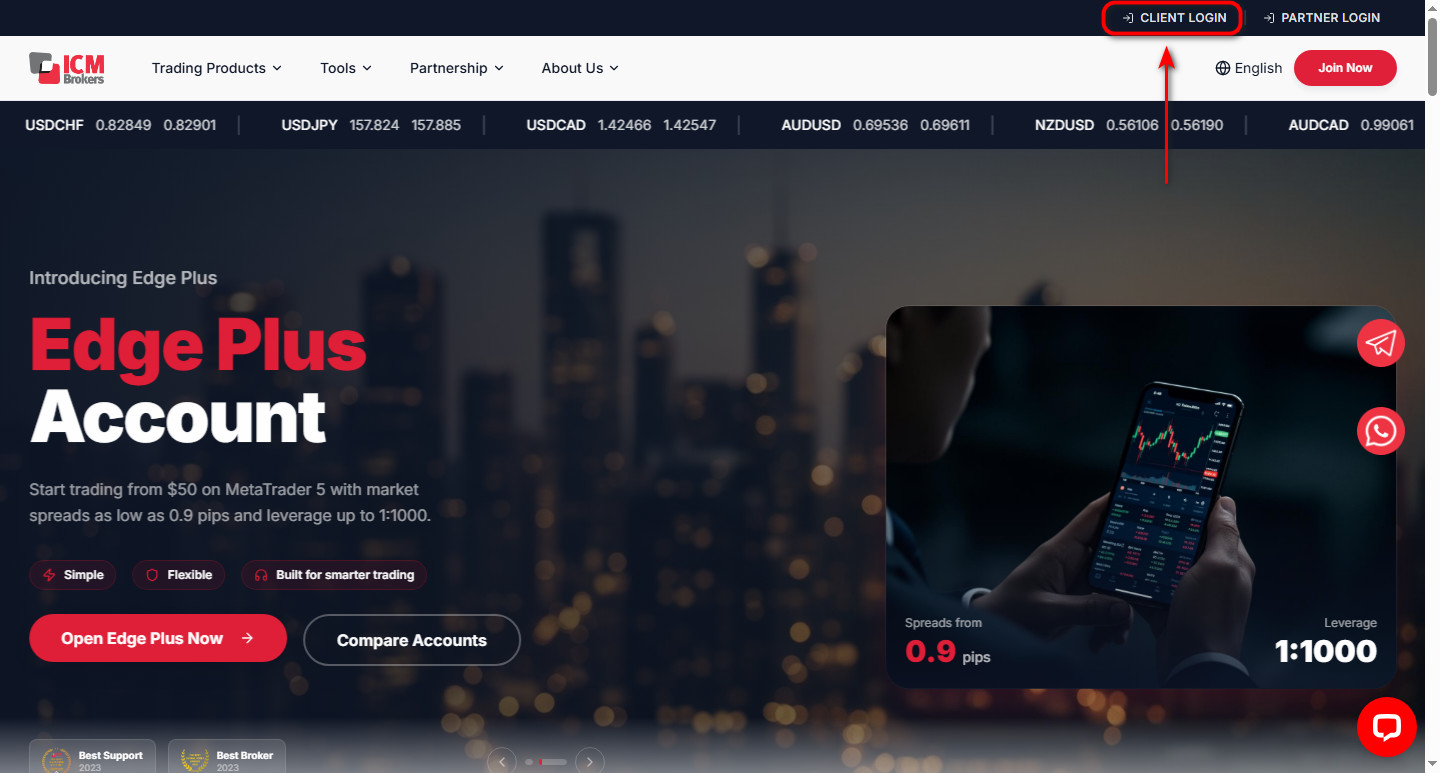
After completing registration, to deposit into your ICM Brokers account, click the Client Login option at the top of the website's home page.
Account deposit 1
2. Then enter your MetaTrader 5 account number and Master Password to log in to your account area.
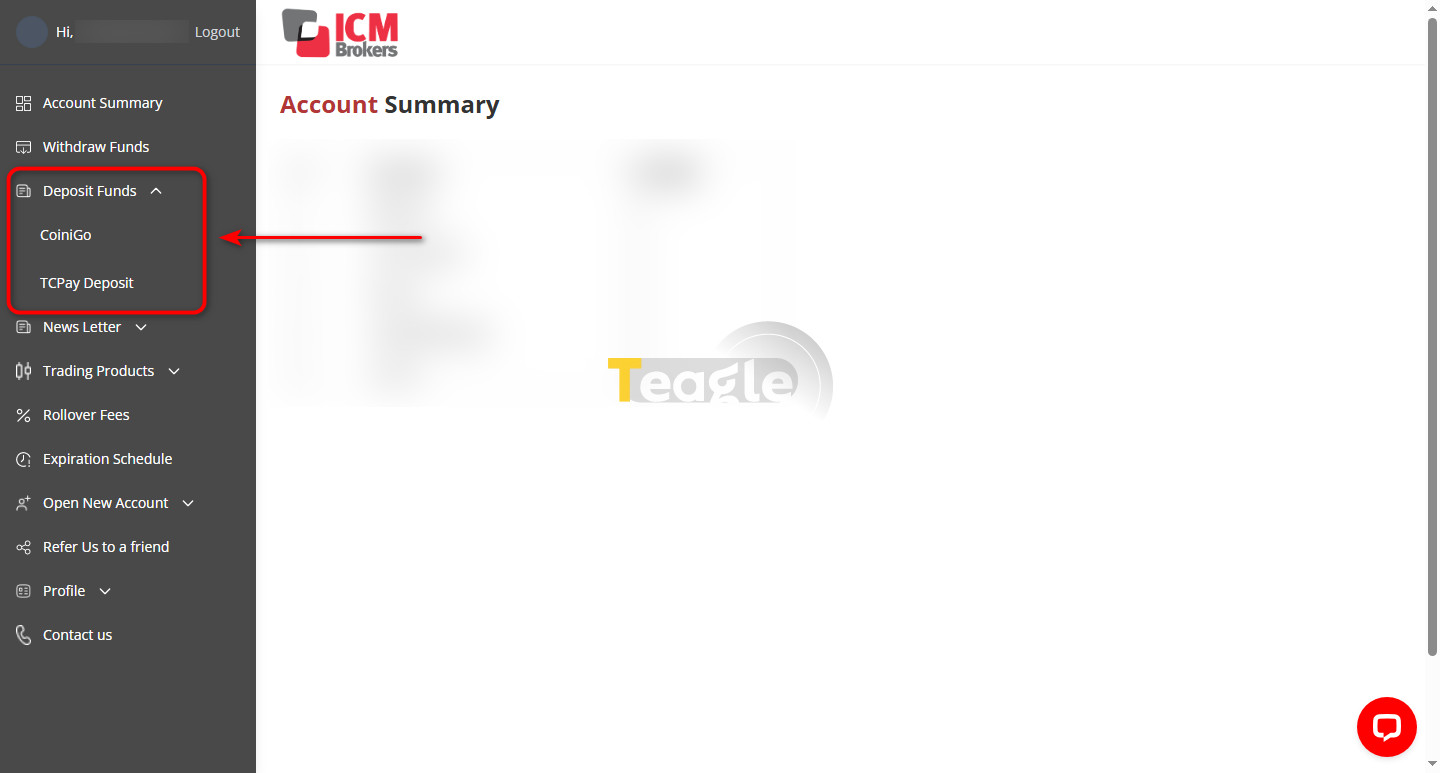
3. In this section, click the Deposit Funds option in the sidebar. There are two methods, CoiniGo and TCPay (TopChange), that you can use to deposit into your account.
How to Get Support from ICM Broker and Contact the Team
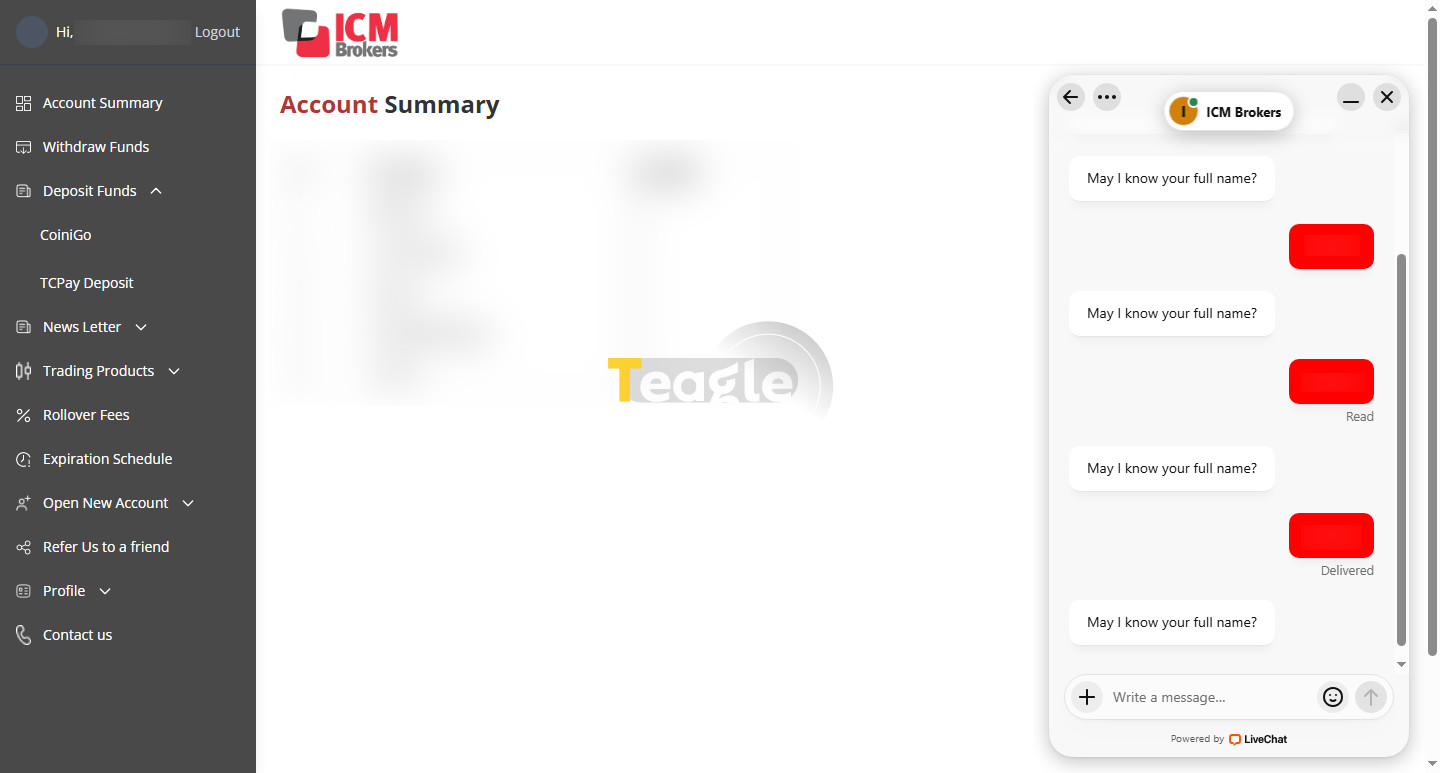
Four support channels are available: live chat, Telegram, WhatsApp and ticket submission. Our review at the time of writing showed that this broker's live chat has a technical problem: after you submit your name, it asks for your name again and does not move on to the next step.
Support 1
ICM Brokers' Telegram and WhatsApp support is also available at the following addresses:
|
Support |
Link or number |
|
Telegram |
https://t.me/icmbrokerstelegram |
|
|
918075778001+ |
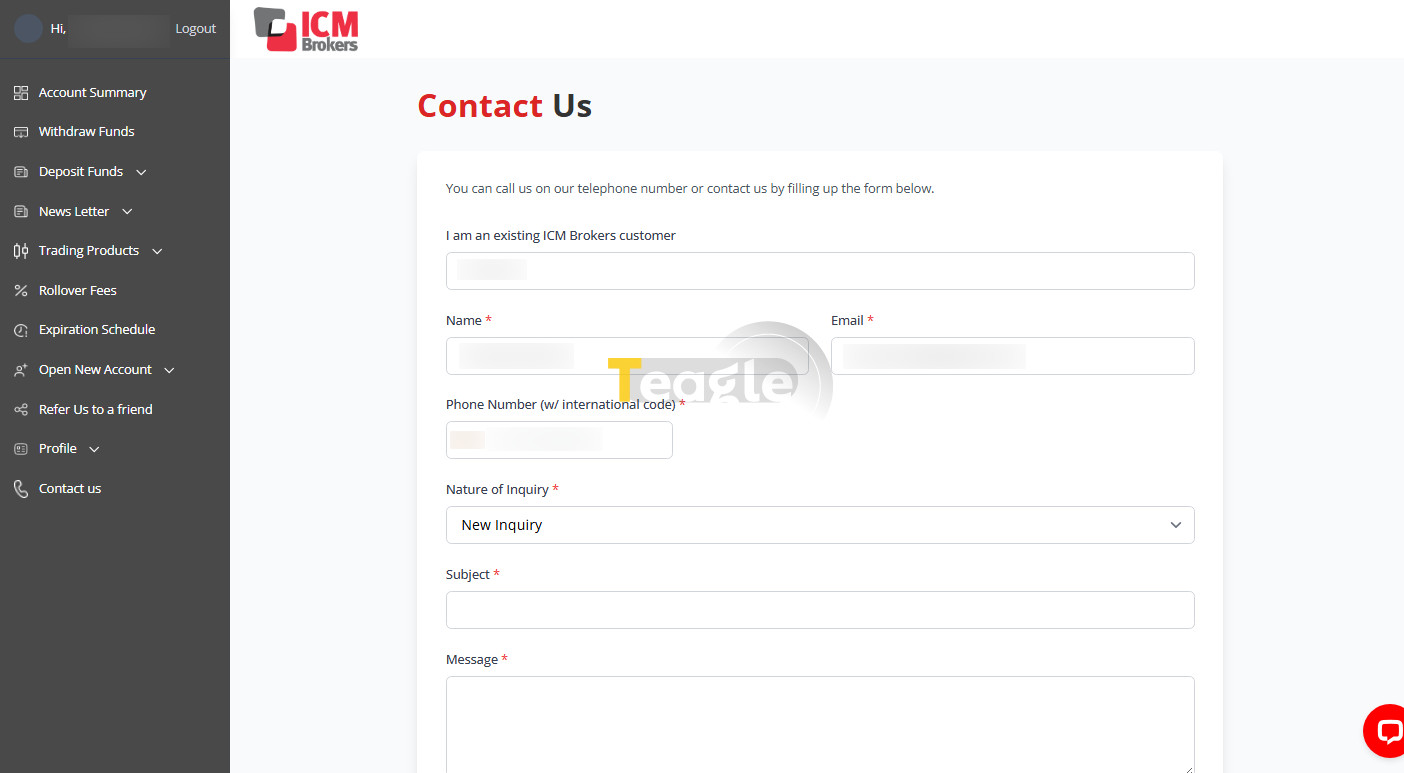
To submit a ticket, go to your user account, click Contact Us and send your ticket.
Withdrawing Profits from ICM Broker (Step by Step)
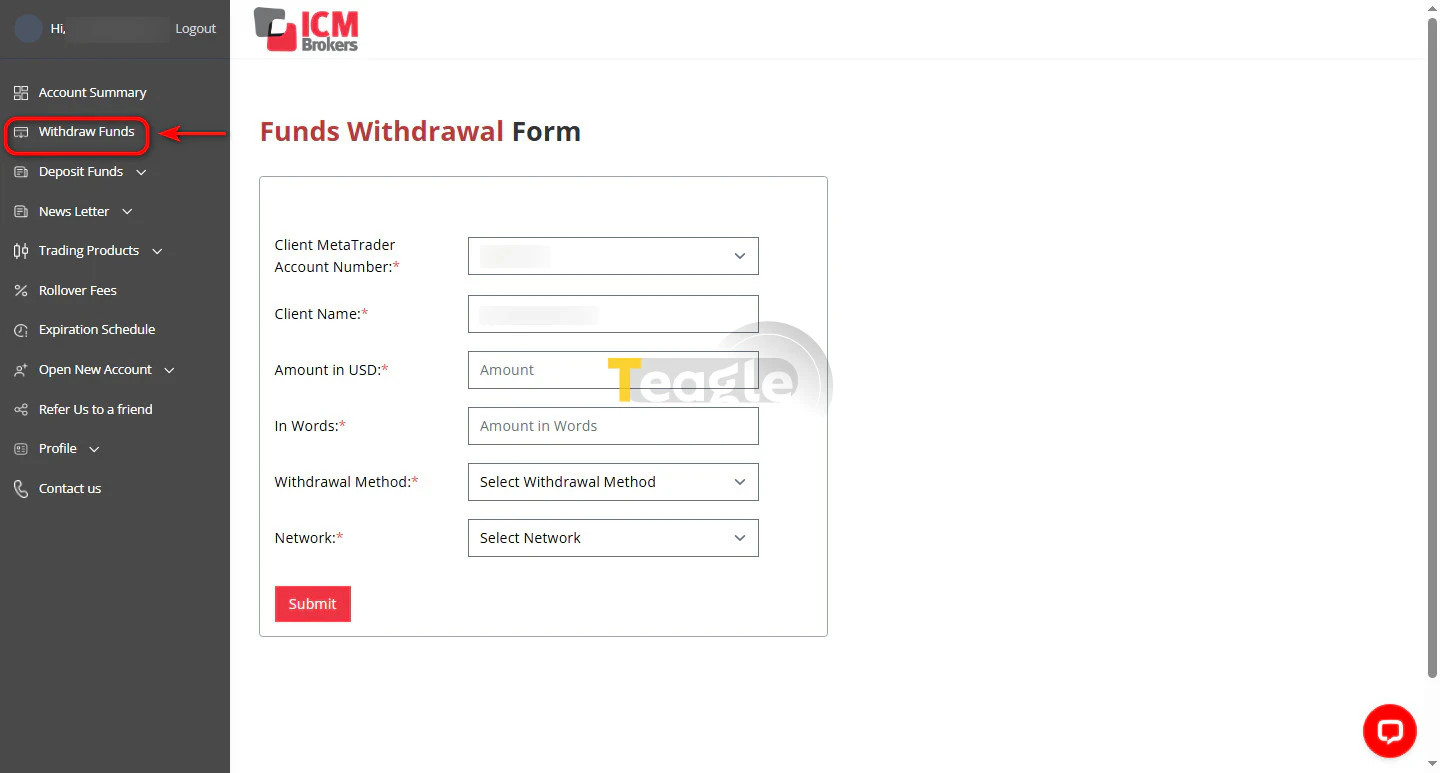
To withdraw profits from your ICM broker account, first log in to your account and click Withdraw Funds. In the window that opens, enter the amount you want to withdraw in dollars, in both figures and words, choose one of the two methods, CoiniGo or TCPay (Topchange), for the withdrawal, and finally click Submit so that your request is queued for review.
Frequently Asked Questions
Articles related to the broker
User reviews

Newest
