Tutorial on signing up and logging in to STARTRADER broker



Choosing a reputable broker is the first and most important step for trading in the financial markets. Before opening an account, every trader pays special attention to capital security, operational transparency and the broker's regulatory status.
In this article, we review STARTRADER broker in terms of credibility, track record, regulations and capital protection infrastructure, to give users comprehensive and realistic information about the broker StarTrader .
STARTRADER broker access conditions for Iranians
The first and most important question for traders inside Iran is «Does this broker serve Iran?» Fortunately, for STARTRADER the answer is «yes». STARTRADER is one of the brokers that recognizes the Iranian market and offers full services to Persian-speaking users.
This broker holds a combination of regulations such as FSA and ASIC , which allows it both to operate in countries such as Australia and to serve countries like Iran under the Seychelles regulatory jurisdiction. Another positive point about this broker is its Persian website and Persian-language support, which make things simpler for users and make resolving potential issues easier. However, direct Rial deposits and withdrawals are still not possible with this broker, although it has more or less solved this problem through intermediary exchanges such as TopChange and ZP.
Logging in and how to sign up with STARTRADER broker
To start registering with STARTRADER, you first need to go to the broker's official website. I recommend using trusted links so you don't fall into the trap of phishing sites.
Entering the site: Go to the STARTRADER homepage and click the «Open Live Account» button.
Completing the initial form: At this stage you select your country and enter your email . Be sure to use a valid email that you have access to.
Email verification: A verification code is sent to your email. By entering it in the registration form, your initial user account is created.
Completing your profile: At this stage you need to enter more detailed information, including your first and last name, date of birth and mobile number. Note that this information must match your identity documents.
How to verify your identity at STARTRADER broker + required documents
Without identity verification (KYC), you cannot withdraw funds or even trade on STARTRADER's live accounts. To fully verify your identity with this broker, follow the steps below one by one.
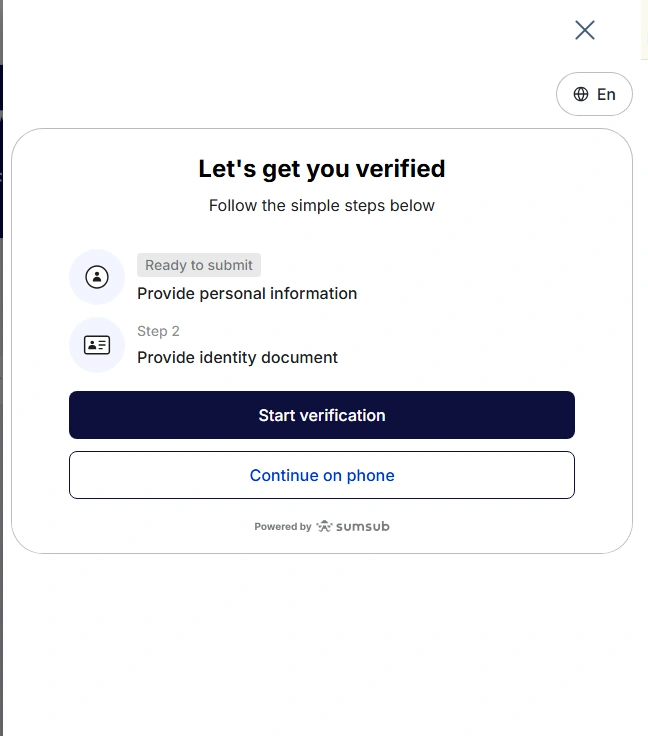
On your STARTRADER personal cabinet page, click the «Verify» or Verification option and click Start Verification .
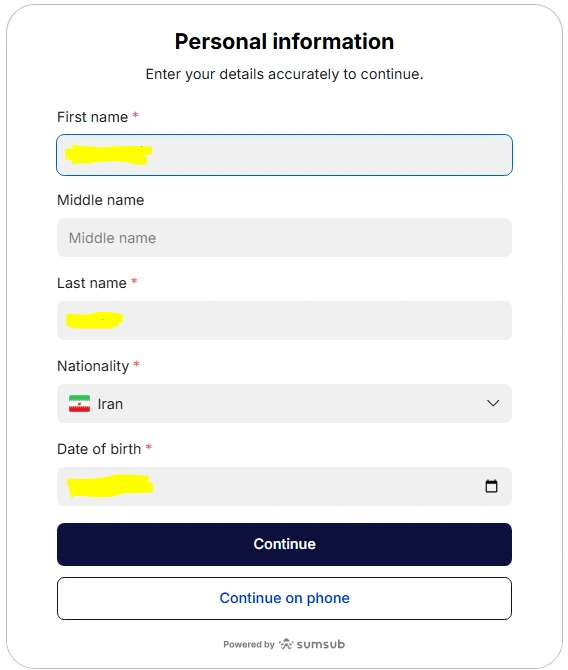
Enter your personal information: on the page that opens, the personal information includes first name, last name, phone number and date of birth. It is best to enter your details with the correct spelling as in your passport.
Uploading identity documents:
You need to upload a high-quality scan or photo of your national ID card, birth certificate or passport.
Note that your ID image must be under 50 MB and all details of the document must be legible in the image, so you don't have to upload your ID document again.
Proof of residence: unlike some brokers that are very strict, STARTRADER usually completes verification with utility bills (water, electricity, gas) or a postal confirmation and bank statement that shows your address.
Selfie: in the final stage, you may be asked to take a selfie of yourself holding your identity document.
The document verification process usually takes 24 to 48 business hours. After that, your account status changes to «Verified».
Reviewing the accounts and the requirements for opening your chosen account
STARTRADER offers a variety of accounts for different trading styles. In general, there are two main account types at this broker:
The Standardaccount: suitable for new traders. Spreads on this account start from around 1.3 pips and no commission is charged.
The ECNaccount: an excellent choice for professionals and scalpers. Spreads on this account start from zero, but in return a small commission is charged per lot traded.
For full details, you can read the article (Review of STARTRADER broker account types).
Opening an Islamic Account
For Muslims or those who hold long-term trades (Swing), the "swap" fee, or overnight interest, can be a challenge. STARTRADER allows accounts to be converted into an Islamic account (Swap-Free). By enabling this option, no overnight interest is charged on your trades. If you select Iran as your country, this option is enabled by default.
How to fund your account and deposit at the StarTrader broker
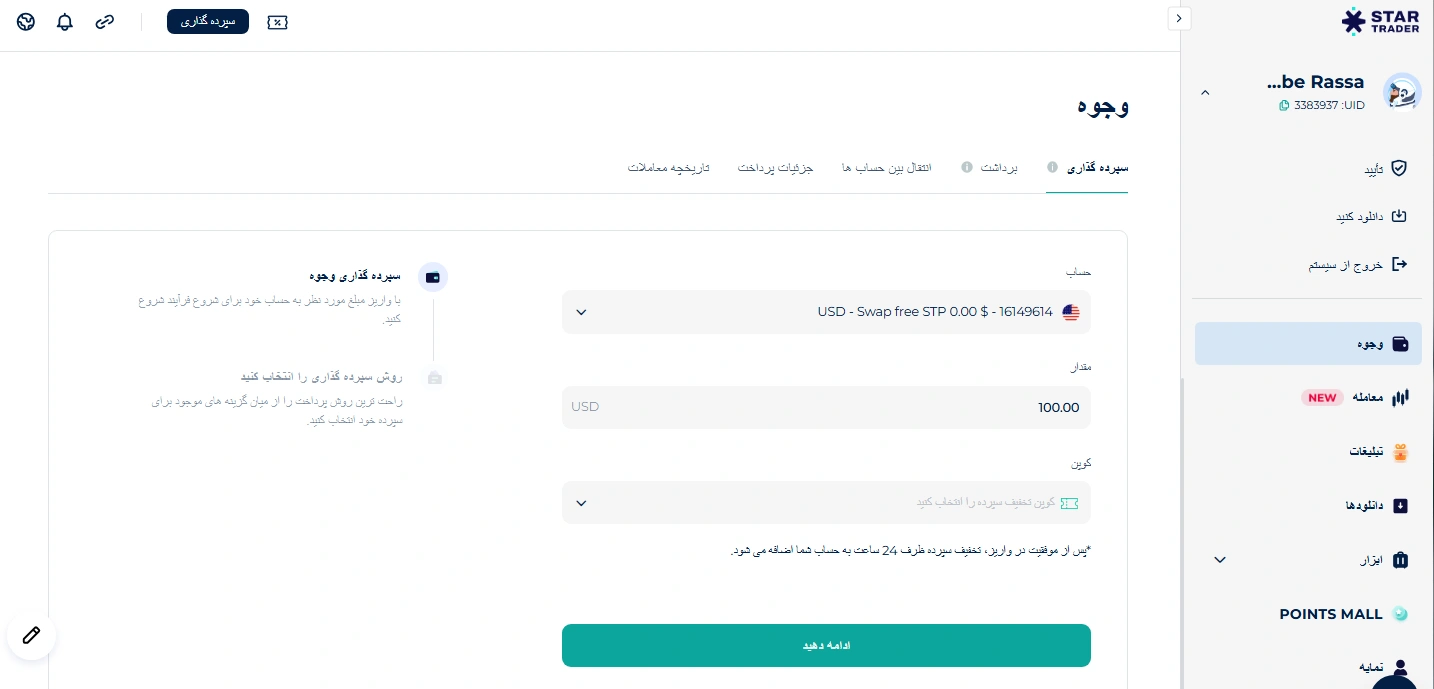
Funding and depositing money into your account at StarTrader can be done in several ways. To do this, simply go to the Funds section in your personal cabinet.
To fund your account, select the account you want and enter the amount you wish to deposit in dollars; the minimum deposit at STARTRADER broker is 50 dollars.
In the coupon box, select your voucher (or rebate code) if you have an active one, then click the «Continue» button to choose a payment method.
On the new page, you can review the different payment methods and choose the option you want.
This broker also offers cryptocurrency and e-wallet options.
Naturally, cryptocurrency deposits include network fees and are completed in less than an hour.
With e-wallet methods such as Neteller, Skrill or TopChange, the deposit fee is zero, but due to internet disruptions in Iran the process can take up to several business days.
STARTRADER broker Rial transactions
Many Iranian traders prefer to fund their accounts with their bank cards. Although this option is not directly available at STARTRADER, intermediary exchanges such as ZPay Zipay and TopChange TCpay have made this method possible. To do this, after selecting one of these exchanges on the STARTRADER Funds page, you are redirected to the exchange, where you can deposit the Rial amount into the exchange's account, and its dollar equivalent is credited to your personal cabinet in the shortest possible time (usually less than an hour).
This method is very cost-effective because it eliminates network fees and currency conversion fees.
Downloading, installing and connecting the StarTrader broker to MT4/MT5
To download the StarTrader broker app, or rather this broker's own trading platform, you can click the Download option in your personal cabin. In the header (the top section) of this page, under the app download options, you can choose Android or ios for your operating system, and the download link will open for you.
You can also view this broker's MetaTrader 4 and 5 platforms on this same page and download them for your operating system.
-
Installing the software / app: Run the file and simply go through the installation steps.
-
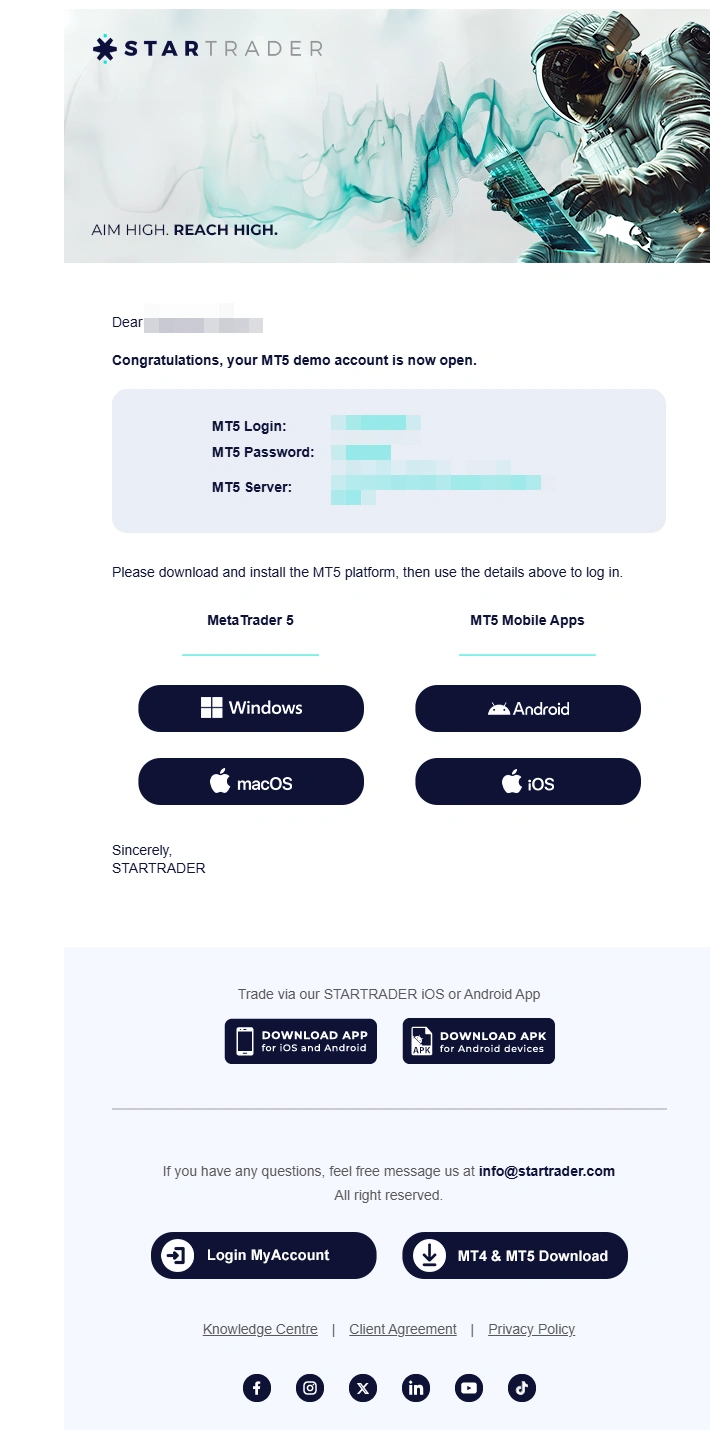
Connecting your account: After opening MetaTrader, select the Connect with an existing trade account option. Enter your username, password and server name (which were sent to your email).
Remember that after creating your account, an email with the relevant account details is sent to you, and you can download your chosen software on that same page.
Tradable assets at StarTrader
|
Examples |
Number |
Trading instrument |
|
Major and minor currency pairs |
80 |
forex pairs |
|
From gold and silver to coffee or oil |
20 |
Commodities |
|
Benchmarks such as S&P 500, NASDAQ, and Dow Jones |
700 |
Indices |
|
From Netflix to Tesla, Amazon and more |
Unknown |
Shares |
|
A wide range of markets around the world |
Unknown |
ETF |
Now that everything is set up, what can you trade? The variety of assets at this broker is very good:
Currency pairs: All major, minor and exotic currency pairs.
Precious metals: Gold (XAUUSD) and silver.
Energy: Crude oil and natural gas.
Indices: Dow Jones, Nasdaq, the German stock index and more.
Cryptocurrencies: Bitcoin, Ethereum and other cryptocurrencies.
Stocks: Trade shares of the world's largest companies (CFD).
How to connect the StarTrader broker to TradingView
Many analysts prefer to analyze in the TradingView environment and place their trades right there. STARTRADER is one of the brokers that has tried to work well with modern technologies. To do this, you can use the "Trading Panel" section at the bottom of the TradingView website to check whether the name Startrader appears in the list of connected brokers (This list is updated periodically). If it is not directly available, you can use intermediary tools or STARTRADER's dedicated WebTrader, which is designed similarly to TradingView.
Withdrawal methods at the StarTrader broker
The most enjoyable part of trading is withdrawing your profits! Withdrawal methods are usually the same methods you used to make your deposit:
-
Withdrawal in Tether (USDT): The fastest and safest option.
-
Rial withdrawal: The Rial equivalent of your profit is deposited to your Sheba bank account number in Iran.
-
Perfect Money: If you have an e-currency account.
Important note: Withdrawal requests are usually approved within a few hours to one business day. Make sure your account is fully verified before requesting a withdrawal.
Important note: Withdrawal requests are usually approved within a few hours to one business day. Make sure your account is fully verified before requesting a withdrawal.
Withdrawals at StarTrader broker
|
|
Deposit |
Withdrawal |
||||
|
Payment method |
Fee |
Minimum |
Processing time |
Fee |
Maximum |
Processing time |
|
TCpay |
0 |
50$ |
Instant |
Free |
30 |
3 Up to 5 business day |
|
ZiPay |
0 |
50$ |
Instant |
Free |
- |
Up to 1 business day |
|
Skrill |
0 |
50 |
Instant |
Free |
30 |
Up to 1 business day |
|
Cryptocurrencies |
0 |
50 |
Up to one hour |
|
|
|
Expert's final summary
STARTRADER broker has a simple registration process, and with Persian-language support and Rial deposits, it is an ideal option for Iranians. By practicing proper money management and using the tutorials above, you can take a big step toward becoming a professional. If you run into a problem at any stage of registration or downloading STARTRADER , the site's live support will be your best guide.
I hope this guide has been helpful to you. Happy profitable trading.
Articles related to the broker
User reviews

Newest
