How to Register and Use Xchief Broker


Xchief broker, formerly also known as ForexChief, is one of the active brokers in the forex and CFD market and has attracted many Iranian users. The main reasons for this are its services for users inside Iran, the ability to register without serious restrictions, support for Islamic (Swap Free) accounts, a wide range of trading instruments and support for the popular MetaTrader 4 and MetaTrader 5 platforms. In this article, we explain every step step by step and in simple terms, from logging in to Xchief broker, registration, identity verification, downloading and installing the platforms, deposits and withdrawals, and a review of the instruments, to answers to frequently asked questions.
Are there any restrictions for Iranians joining XChief broker?
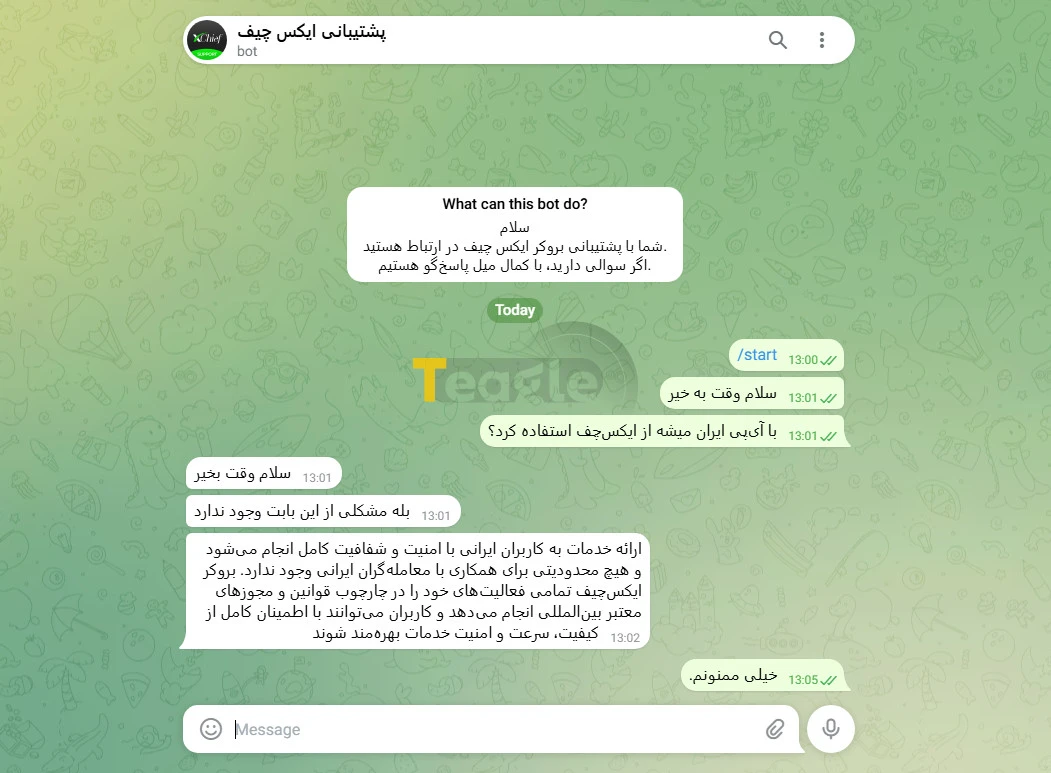
One of the first and most important questions new users ask is whether Iranians can register with the XChief broker without any problems. Based on reviews of the broker's official website and reliable Persian sources, XChief currently places no restrictions on registration by Iranian users, and users can complete the registration and identity verification steps with Iranian documents.
Unlike many international brokers that have stopped serving users in Iran due to sanctions, XChief has taken a different path, and it is even possible to register with XChief using an Iranian IP. That said, users are advised to use a reliable static IP-changing tool to increase the security of their trading account, although the broker has not made this mandatory.
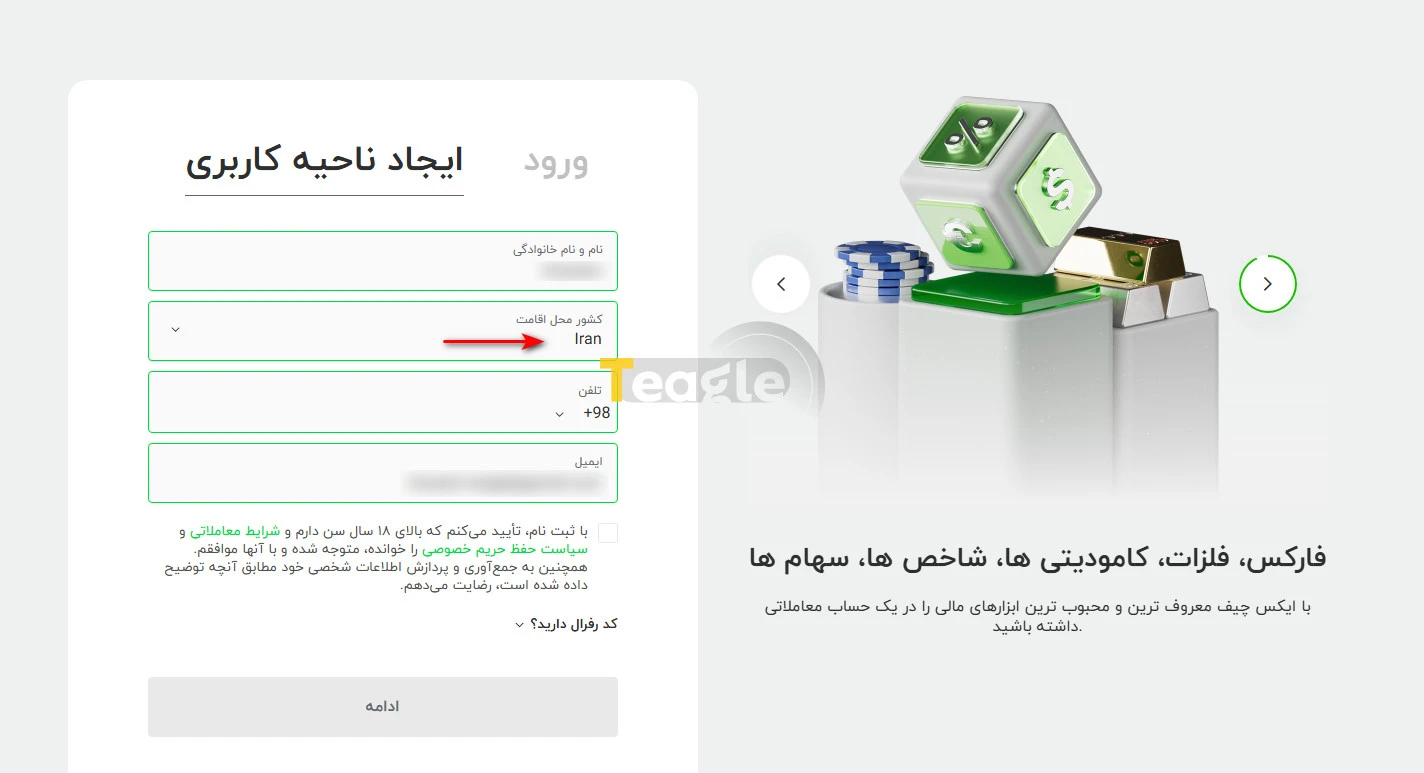
To get started with the XChief broker, all you need to do is visit the broker's official website and complete the initial registration form. At this stage, no geographic restrictions apply to Iran, and Iran is on the list of permitted countries. This is also clearly stated in the Iran Broker website's review.
How to register with XChief broker
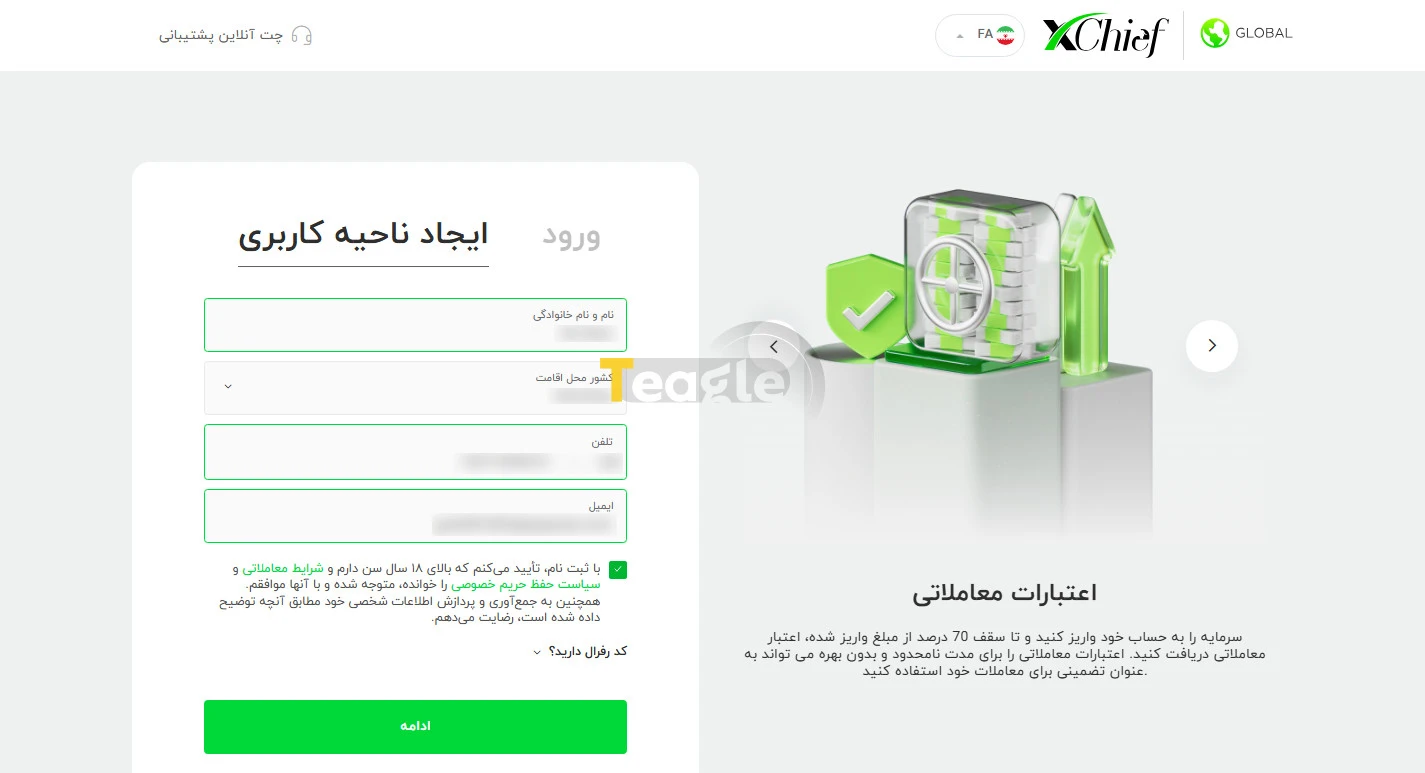
The registration process at XChief broker is designed so that even complete beginners can go through it without confusion. To start, simply go to the official website of XChief broker , click the sign-up option and follow the steps below.
1. On the registration page, an initial form is displayed that asks for your first and last name, an active email address, phone number and country of residence. Then click «Continue».
2. After completing the form, a page opens where you need to set a password.
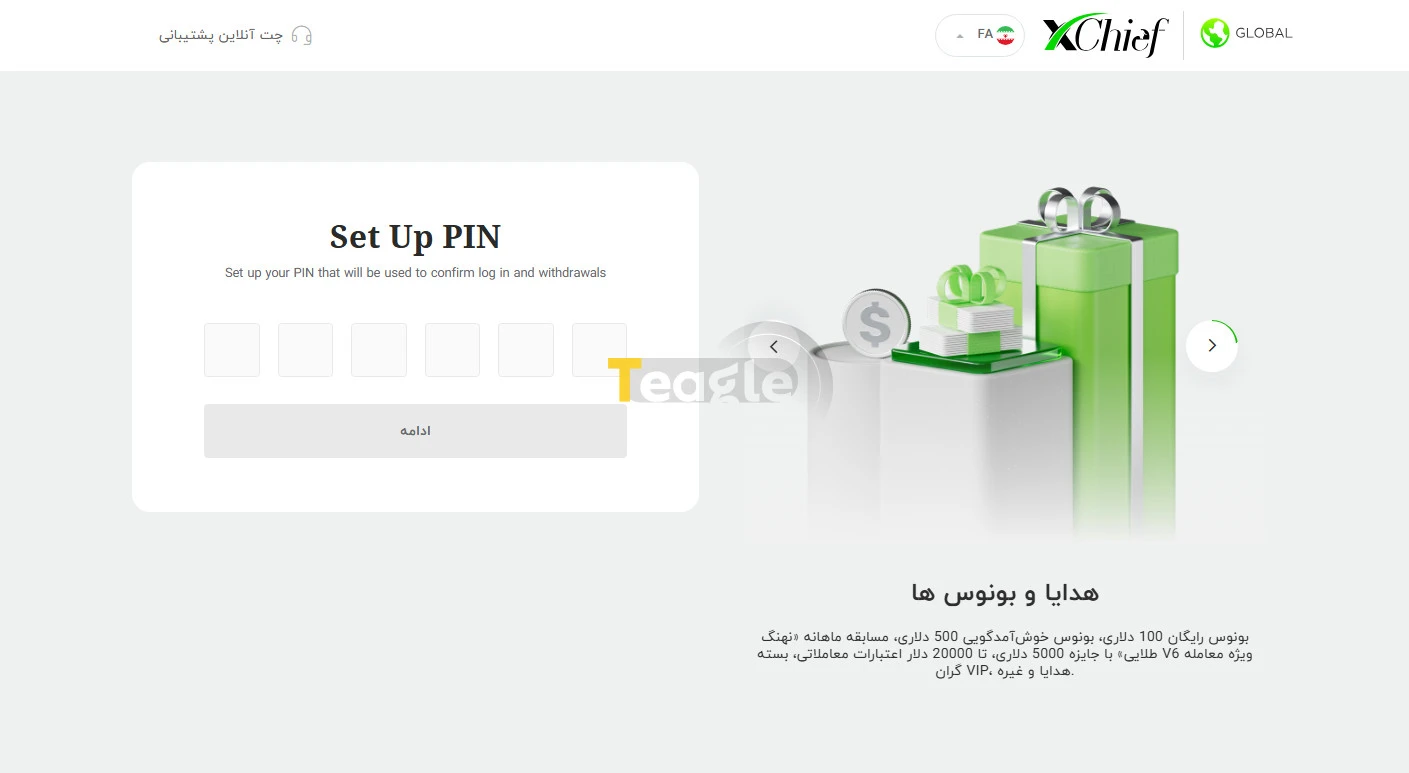
3. Finally, your initial registration is complete and the broker provides you with your personal username and password.
It is worth noting that XChief broker offers its own dedicated app for users who want to trade via mobile, while also making it possible to use the MetaTrader 4 and MetaTrader 5 apps on Android and iOS.
Verification requirements at XChief
The verification step at XChief broker is one of the key parts of fully activating your account, and without it, withdrawals will not be possible. This process is carried out in line with international anti-money laundering (AML) and know-your-customer (KYC) rules. To verify your identity, follow the steps below:
1. Log in to your user panel and, in the «My Profile» section, select «Verification».
2. On the page that opens, upload a photo of your ID document (national ID card, birth certificate, passport or driver's license) along with a selfie of yourself holding the uploaded ID document.
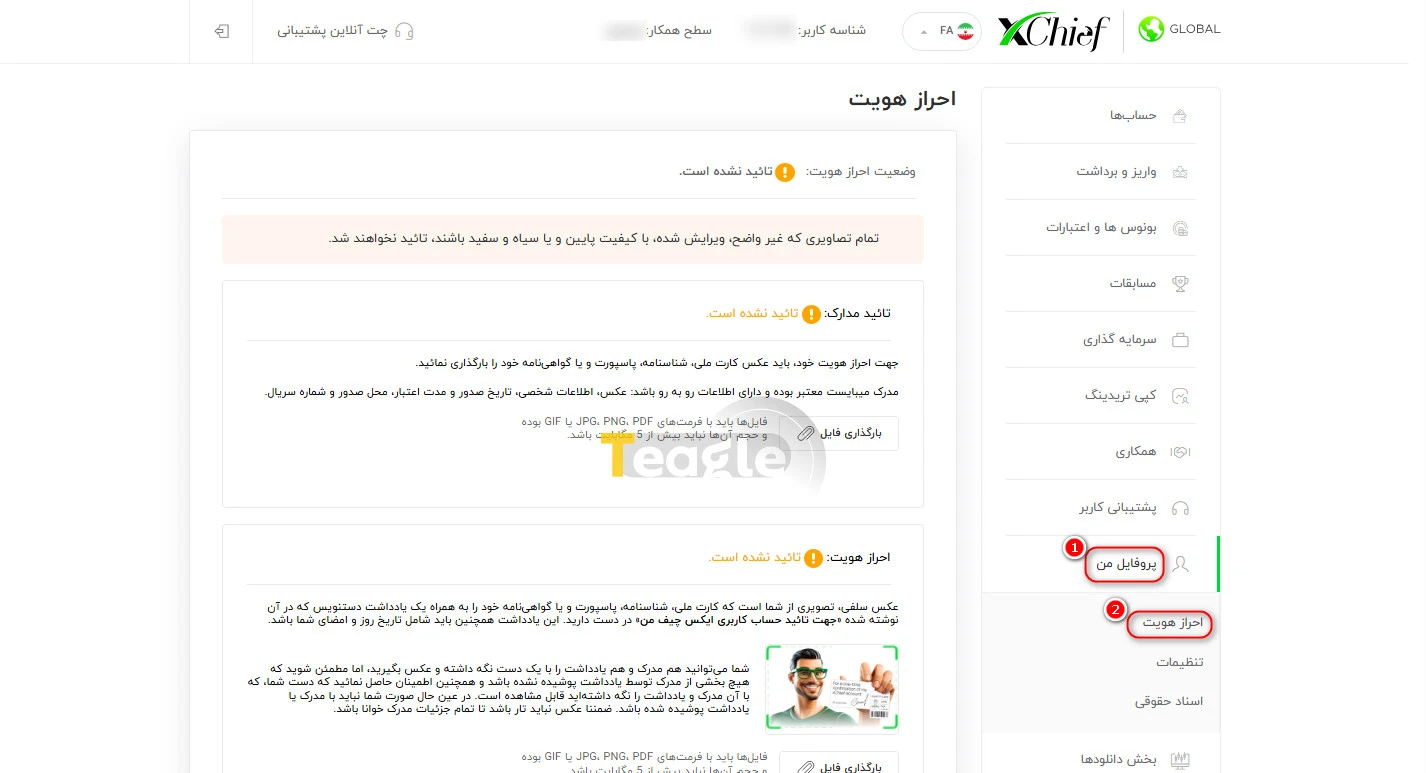
All documents must be clear, legible and submitted without cropping or editing. Your first and last name must exactly match your registration details; otherwise, the verification request will be rejected. After approval and verification, you will be able to work with trading accounts at XChief broker, and we recommend that you get familiar with the conditions and types of XChief broker accounts .
How to activate a swap-free (Islamic) account with XChief broker
Activating a swap-free (Islamic) account at the XChief broker is a simple process and is done through the user panel. However, this feature is only available for certain MetaTrader 5 trading account types and for eligible users.
To activate an Islamic account, follow these steps:
1. Log in to your client area.
2. In the My Accounts section, select the trading account you want and click the settings icon.
4. In the window that opens, select the Enable Swap-Free option to activate the Islamic account service for that account.
It should be noted that the swap-free service is currently only available for MT5 Classic+, MT5 DirectFX and MT5 xPRIME accounts, and it cannot be activated for MetaTrader 4 platform accounts.
Which symbols can I trade in each account?
One of the key advantages covered in this XChief broker tutorial is the wide range of trading symbols. The broker offers trading across various markets, including forex, commodities, indices and more. Depending on the trading account type, the symbols available to a user may vary slightly, but overall the range of assets is considered suitable for both beginner and professional users. The table below lists some of the most popular symbols on XChief accounts.
|
Account type |
Symbols |
|
Cent |
EURUSD (Euro/Dollar), GBPUSD (Pound/Dollar), USDJPY (Dollar/Yen), AUDUSD (Australian Dollar/Dollar), USDCHF (Dollar/Franc), USDCAD (Dollar/Canadian Dollar), XAUUSD (Gold), XAGUSD (Silver) |
|
Classic+ |
EURUSD, GBPUSD, USDJPY, XAUUSD, XAGUSD, BTCUSD (Bitcoin), ETHUSD (Ethereum), USOIL (WTI Oil), UKOIL (Brent Oil), US30 (Dow Jones) |
|
DirectFX |
EURUSD, GBPUSD, USDJPY, XAUUSD, XAGUSD, BTCUSD, ETHUSD, USOIL, UKOIL, US30 |
|
xPRIME |
EURUSD, GBPUSD, USDJPY, XAUUSD, XAGUSD, BTCUSD, ETHUSD, AAPL (Apple), NVDA (Nvidia), TSLA (Tesla) |
How to download and install XChief broker's trading platforms
After choosing a trading account, it's time to use a trading platform. XChief broker supports the most popular platforms on the market, namely MetaTrader 4 and MetaTrader 5. Users can use these programs on Windows, Mac, mobile and even the web version. To download the platforms at XChief broker, simply go to the «Platforms» section from your user panel or the broker's official website and download the MetaTrader version that suits your device.
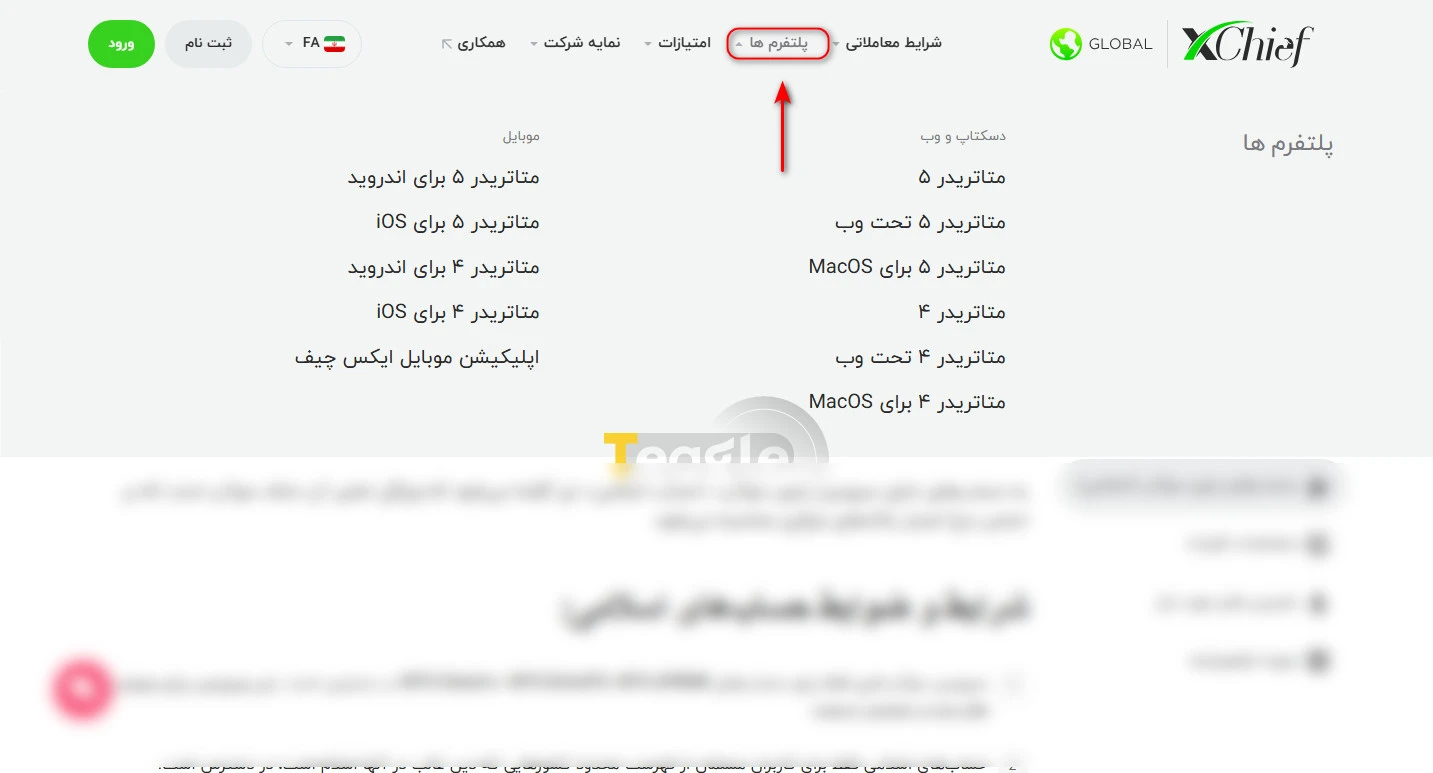
Connecting XChief to MetaTrader 4 and MetaTrader 5
To connect your trading account to MetaTrader, find your account details in the user panel and use them to connect to MetaTrader 4 and MetaTrader 5. To learn how to connect to MetaTrader 4 and MetaTrader 5, refer to this link .
How to deposit to XChief broker
After completing the registration steps at the XChief broker and successfully passing identity verification at the XChief broker, users can proceed to fund their trading account. The deposit process at this broker is designed to be simple, transparent and doable even for beginners. Choosing the right deposit method plays an important role in how quickly you can start trading and in managing your capital, which is why a thorough understanding of this stage of the XChief broker tutorial is essential. According to information published on the official XChief broker website, deposit methods include the following:
- Cryptocurrencies (such as Tether USDT, Bitcoin)
- International payment systems
- Internal transfers between trading accounts
For Iranian users, depositing via cryptocurrency is the most common and practical method, as it completely bypasses international banking restrictions and is also very fast. The steps for depositing to the XChief broker are as follows:
1. Log in to your user panel.
2. Go to the «Deposit» section and select the deposit method (e.g. Tether) and your account.
3. Enter the transaction amount and confirm it.
4. The funds are deposited into your wallet.
After the transaction is completed, the trading account balance is usually credited within a short time (from a few minutes to an hour). This high speed allows users to start trading without delay.
How to withdraw from XChief broker
After making a profit, or whenever they want to withdraw their funds, users can do so from the withdrawal section. Understanding how withdrawals work at XChief broker is very important, because this step shows how reliable and transparent a broker is for its users. In general, withdrawing from XChief broker involves the following steps:
1. Log in to your user dashboard.
2. Go to the «Withdrawal» section and select the withdrawal method and the amount you want.
3. Submit your withdrawal request.
Once the request is submitted, the broker's finance team reviews it. According to the official website and user reports on Iran Broker, withdrawal requests are usually reviewed and processed within 24 business hours.
To avoid potential problems, users need to meet these conditions:
- Identity verification must be completed
- Withdrawals are only made via the same method used for the deposit
- The trading account must not have any open positions (for some methods)
Articles related to the broker
User reviews

Newest
