
Benefits of AI in MetaTrader 5

Author
Marzieh Mazaheri

Expert review
Mohammadreza Minaei
Published
 2026/09/30
Updated
2026/11/10
Reading time
10 دقیقه


A large part of a trader's time goes into the work done before deciding to trade, from reviewing charts and past trades to finding the bug in an expert advisor. The addition of AI to MetaTrader 5 is meant to make these tasks simpler. You can now phrase some requests in plain language and use the platform's assistant to review information and move through the steps of your work.
Of course, there is a big gap between «helping with market analysis» and «finding a profitable trade». An AI assistant may get information to you faster, but there is still a chance of misinterpretation, incomplete analysis and unsuitable suggestions. The value of this feature becomes clear once we know which tasks can be handed over to it and where the result needs to be checked again. That is why, in this article, we take a comprehensive look at MetaTrader 5's new feature: its AI.
An introduction to the AI feature in MetaTrader 5
MetaEditor has had an AI coding assistant since 2023 and build 3800. In 2026, with the release of build 6060, native support for the MCP protocol and an AI feature were added to MetaTrader 5 and MetaEditor. This change lets the assistant not only answer questions but also work with the platform's tools and carry out part of the analysis, development and testing steps. MCP, short for Model Context Protocol, is a channel of communication between AI tools and software. In MetaTrader 5, this connection lets the assistant work with the platform's data and tools within a defined scope of access. Compatible external agents, including Claude Code and OpenAI Codex, can also be connected.
To understand how this change is useful, suppose you want to review the performance of your recent trades. Instead of constantly switching between reports, you can explain the problem to the assistant and ask it to do the review. The quality of the result depends not only on the model's capability but also on the information available and how precise your request is. To evaluate these outputs, you still need an understanding of the market and the principles of trading.
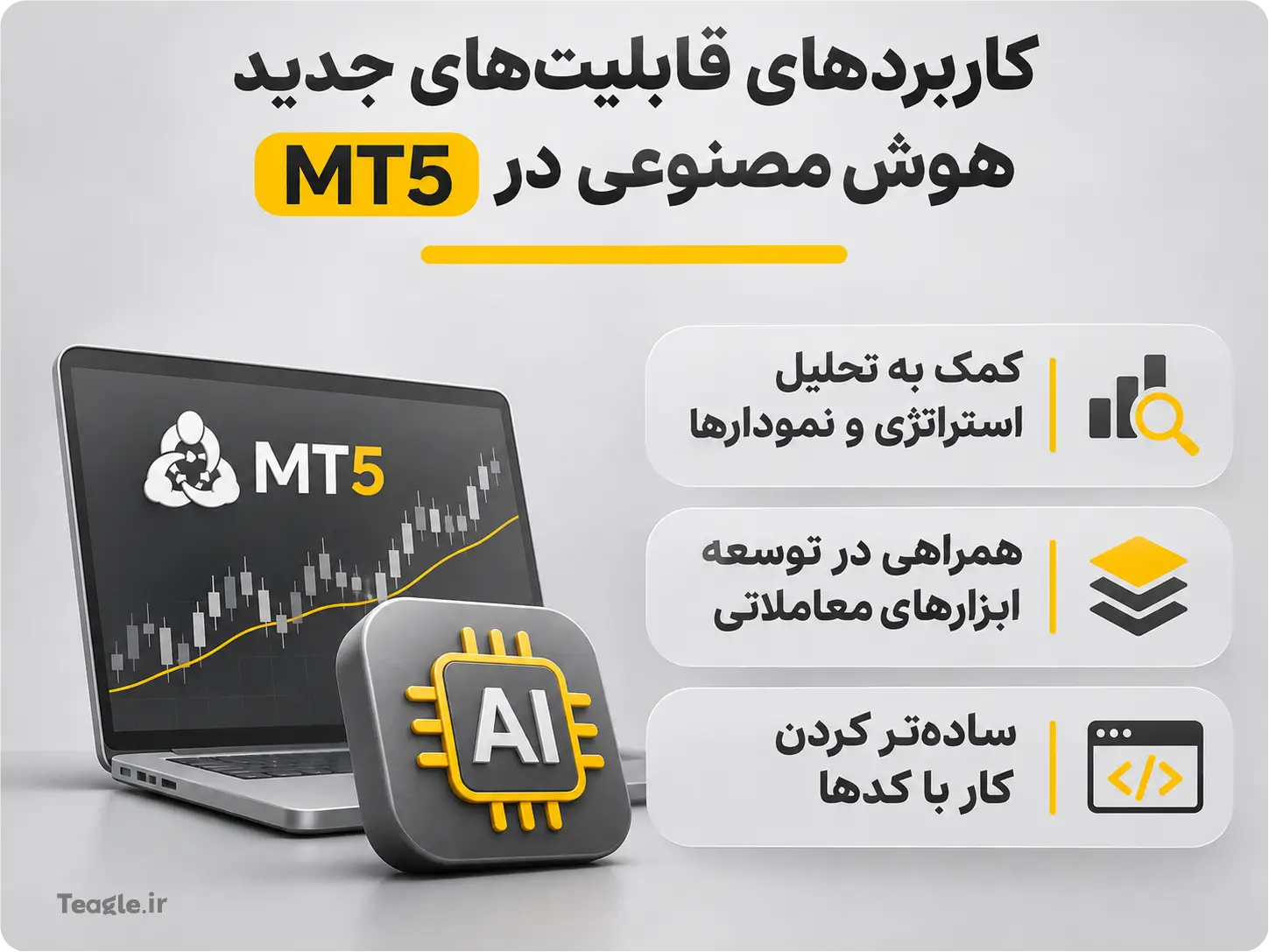
Uses of the new AI features in MT5
The uses of the new AI features in MetaTrader 5 can be looked at in three main areas:
- Help with analyzing strategies and charts
- Support in developing trading tools
- Making work with code easier
Knowing these uses helps us have more realistic expectations of the new feature; we look at them below.
Chart analysis and reviewing possible market scenarios
The built-in assistant can support you in reviewing the state of a symbol, going over open positions and analyzing your trade history. For example, you can ask it to explain what the chart is showing or to check past trades for recurring patterns. The practical use of such a tool is to bring order to the review process. A trader with several open positions may want to know what risks they share. Someone else might be looking for the reason their trading performance differs at different hours. These reviews can help you better understand past performance, but on their own they do not validate a buy or sell decision. Before using the result, you should check the underlying data, the time frame and the reasoning behind the assistant's conclusion.
In the new versions, the assistant can also pull the platform's built-in economic calendar data and put it alongside price information. For example, you can ask it to go over the economic events related to a currency. Access to this data does not mean the market's reaction to news can be predicted with certainty.
Machine learning and developing advanced trading expert advisors
When it comes to AI in MetaTrader, two different things are sometimes confused:
1. Using the assistant to write an expert advisor
2. Building an expert advisor that itself uses machine learning
In the first case, AI helps implement an idea. For example, you describe the entry, exit and volume management rules so that initial code is produced. This expert advisor may operate entirely on fixed rules and have no learning mechanism at all.
The second case requires designing a model, choosing suitable data, training and evaluation. The mere addition of an assistant to MT5 does not turn trading bots into systems that learn from their own past mistakes.
One way to use machine learning in MetaTrader 5 is to run ONNX models in MQL5 programs. With this approach, a model can be trained with tools such as Python, converted to the ONNX format and used in an expert advisor. Training and updating such a model requires a defined process, and simply using an AI assistant does not automate these steps.
MQL5 coding with the help of the AI assistant
The MetaEditor assistant can be used to generate MQL5 programs, explain code logic, find possible bugs and suggest fixes. This feature narrows part of the gap between a trading idea and the first version of a program.
A clear, precise request can help produce a more relevant response, but output quality does not depend on the prompt alone; the model's capability and the data and tools available also affect the result. Even with a precise request, analytical or programming errors are possible. For example, the sentence «build a profitable bot» does not specify how the program should behave. By contrast, describing the entry conditions, how volume is calculated, the stop loss, permitted trading hours and the number of simultaneous positions provides a clearer basis for development.
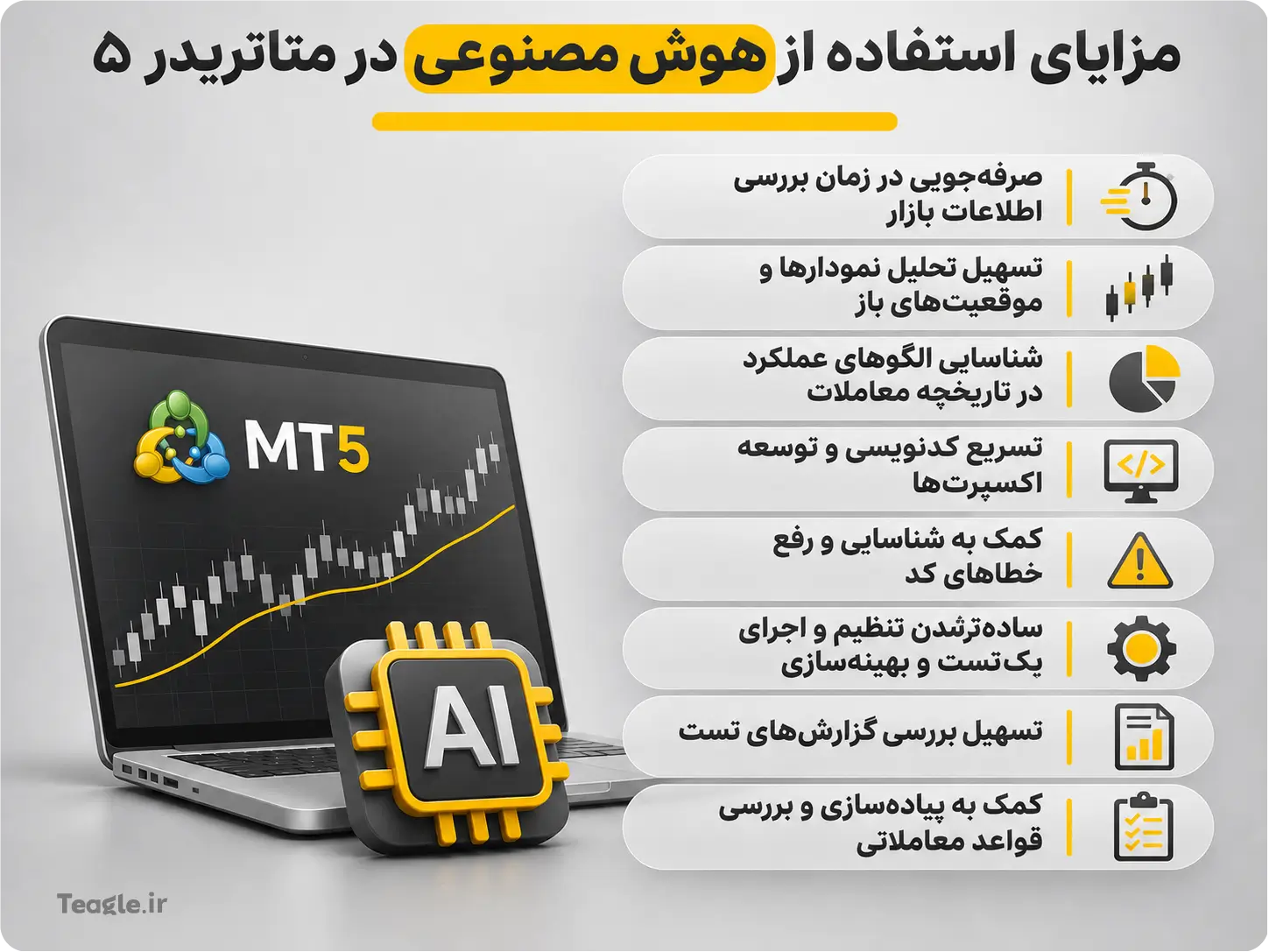
Benefits of using AI in MetaTrader 5 for traders
A large part of this tool's benefit lies in the time it frees up for the trader. When reviewing information and doing some repetitive tasks becomes easier, more time is left for evaluating results and improving the decision-making process. Below are some of the most important benefits of using AI in MetaTrader 5.
Help with applying trading rules consistently
Wherever a person is caught up in in-the-moment conditions and their pressure, there is naturally a chance of wrong decisions. Fear of missing out, rushing to recover losses and suddenly moving the stop loss can all throw a trading plan off course. Automatically executing defined rules, if designed properly, can reduce the influence of these in-the-moment decisions.
The assistant's role in this process is to help define, implement and review the rules. Reducing the influence of emotions depends on executing these rules and the trader sticking to them; merely receiving analysis or suggestions from AI does not prevent emotional decisions.
That said, we should keep in mind that automation does not mean eliminating errors. If the strategy's logic is wrong, the system will simply repeat the same mistake more consistently. Setting unsuitable rules or handing too much control to a tool is still a human decision. Continuous operation also depends on the market being open, a stable connection and the execution infrastructure being ready. Having an AI assistant does not in itself mean you have set up a round-the-clock trading system.
Faster review of market information
Sometimes the trader's problem is not a lack of data or information but the difficulty of putting it all together. AI can be useful in organizing this information and preparing an initial review, but the speed of getting an answer should not be mistaken for its accuracy. Output is valuable when its figures, assumptions and conclusions can be checked. For this reason, it is better to ask the assistant, with every analysis request, to also explain the limitations of the data and the reasoning behind its conclusion. This makes evaluating the answer easier.
Guide to using the AI tools in MetaTrader 5
In this section, we look at how to open and use the AI tools in the desktop version of MetaTrader 5, from updating the platform and setting up the assistant to choosing a model and configuring access permissions.
Activating the assistant and choosing an AI service
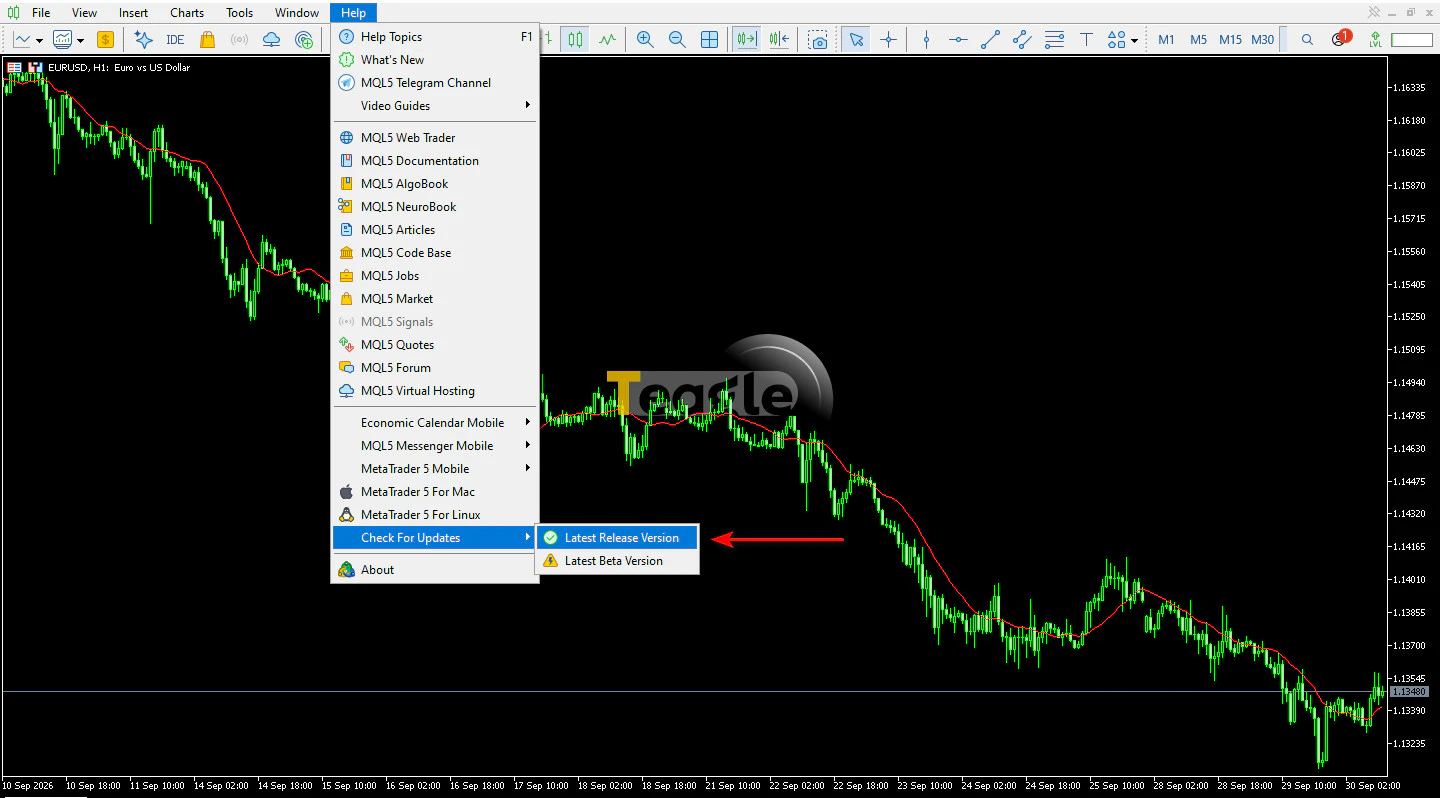
To use the assistant's new features, update your MetaTrader 5 to the latest stable version. To update, open your MetaTrader, go to the Help menu, select Check for Updates and then choose Latest Release Version. If the platform asks for a restart to complete the update, close it and open it again.
To use the assistant's default service, sign in to your MQL5.community account. This service is configured automatically and you are given the free MQL5 Lite plan. Then click the AI assistant icon in the toolbar at the top of the screen to open the chat window.
This guide covers the desktop version. The AI assistant has been disabled on Windows 7 since build 6090, so updating the platform on this operating system is not enough to access the assistant.
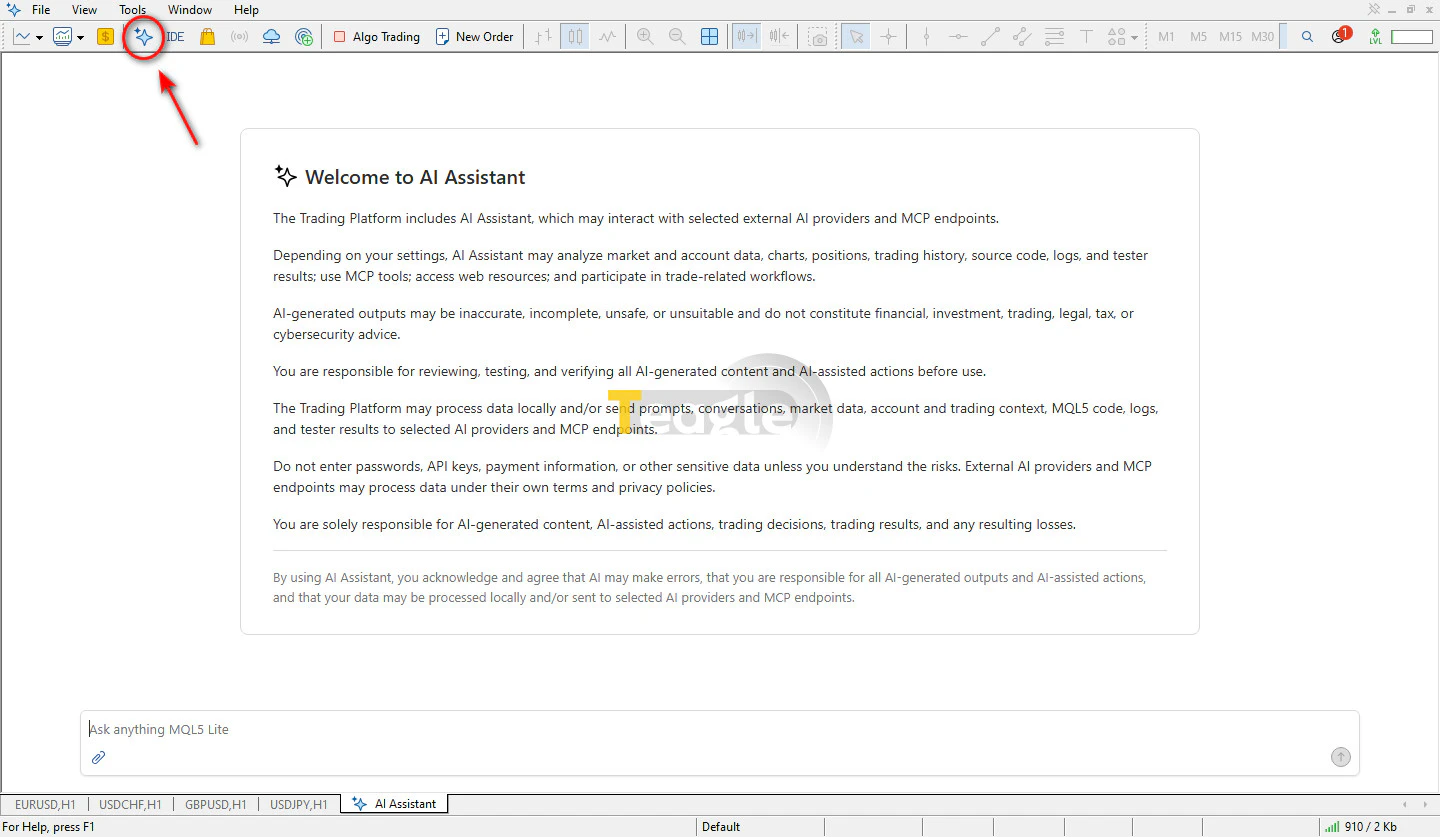
When you first open the AI assistant section of MetaTrader 5, an introductory text is shown; we have translated it below to help you get familiar with it:
«The trading platform includes an AI assistant that may interact with selected external AI providers and MCP endpoints.
Depending on the selected settings, the AI assistant may review market and account data, charts, trading positions, trade history, source code, system logs and test results; use MCP tools; access internet resources; and participate in trading-related processes.
AI-generated outputs may be inaccurate, incomplete, unsafe or inappropriate and should not be considered financial, investment, trading, legal, tax or cybersecurity advice.
You are responsible for reviewing, testing and evaluating all AI-generated content and any actions performed with its help before using them.
The trading platform may process information locally and/or send requests, conversations, market data, account- and trade-related information, MQL5 code, reports and test results to selected AI providers and MCP endpoints.
Do not enter your passwords, API keys, payment details or other sensitive data unless you are aware of the potential risks. External AI providers and MCP endpoints may process information in accordance with their own terms of use and privacy policies.
You alone are responsible for AI-generated content, actions taken with its help, trading decisions, trade results and any potential losses.
By using the AI assistant, you accept that this technology may make mistakes, that you are responsible for all outputs and actions taken with its help, and that your data may be processed locally and/or sent to selected AI providers and MCP endpoints.»
If you want to use a different model, go to Options from the Tools menu and open the AI Assistant tab. Here you can set the provider, the service address or Endpoint, the API key and the model. Enter the API key in the dedicated settings field, not in your chat with the assistant. The related settings are synced between the terminal and MetaEditor.
In the same tab, you can decide whether the assistant is allowed to trade, must ask for your confirmation for each trading operation, or should not trade at all. Web access and running system commands also have separate settings. To start with, keep trading access disabled or make trading subject to your own confirmation.
To use MetaEditor's coding, compiling and debugging tools, the program must be running. The Start MetaEditor while Assistant is active option in the assistant settings lets MetaEditor run while you use the assistant.
To get started, choose requests whose results you can easily check, such as explaining the logic of an Expert Advisor or reviewing part of your trade history. Then, as you better understand how the assistant works, expand the scope of use.
The built-in assistant should also not be confused with indicators and bots sold under the AI label. Each third-party product has its own independent logic and quality.
Using AI to backtest strategies
One use of this integration is helping you work with the strategy testing tool and review its reports. Within the available tools and permissions, the AI agent can carry out part of the testing and results analysis. This includes reading Expert Advisor inputs, preparing test settings, running strategy backtests and optimization, retrieving reports and checking error messages.
The backtest calculations are performed by the Strategy Tester, and the assistant helps set it up, run it and interpret its results. To test a trading strategy, its rules must first be implemented as an executable Expert Advisor. Describing an idea in text and getting an AI assessment is no substitute for actually running a backtest.
But the useful question in a backtest is not just «Which settings made the most profit?» You need to see how much the result depended on a specific period or a few exceptional trades.
For a more accurate evaluation, you can ask these questions:
- •How were profits and losses distributed over the period?
- Under what conditions did drawdown increase?
- What effect do small parameter changes have on the result?
- Are trading costs included in the calculations?
- How does the strategy perform on data that was not used to tune it?
- Is the historical data suitable for this test in terms of time coverage and quality?
- What effect do the price modeling type and order execution delays have on the result?
AI's useful role at this stage is to help find weaknesses and ask better questions. A profitable report from the past is not enough on its own to be confident about future performance.
The future of forex trading with MetaTrader 5 AI
Although in general the impact of AI on forex trading has gone beyond analysis and charts, the important change AI has brought to MetaTrader is a simpler interaction between the user and the platform's tools. Traders can describe what they want and get help from the assistant for part of the analysis, development and testing process.
This can speed up putting ideas into practice, but more speed does not always lead to better decisions. When building an Expert Advisor becomes easier, testing weak ideas becomes easier too. The difference is made by the quality of evaluation, understanding the limitations, and trading discipline.
For an MT5 user, the practical question is: which part of my daily work takes a lot of time, and can I verify its result? Reviewing trades, explaining code or checking a test report can be a good starting point. The assistant's real value comes from these specific, measurable uses.
Contents of this article

Latest articles
What is a Moving Average (Moving Avarage) and how does it help identify the market trend?

What Is Asset Tokenization and What Is It Used For?
What Is the Flippening in Crypto?
What is an indicator in technical analysis? Types and uses in forex and crypto
What Is the MACD Indicator? Tutorial, Signals and Strategies
Articles
Related articles



User reviews

Newest
 Upload image