
What Is an Expert Advisor or Trading Robot in Forex?

Author
Admin
Published
 2026/03/07
Updated
2026/11/04
Reading time
5 دقیقه


In the forex market, many professional traders use automated tools such as forex expert advisors or forex trading robots to stay away from human emotions and trade in a disciplined way. With advanced programming and precise algorithms, these tools can analyze and execute trades according to a defined strategy. Below, we want to give you an in-depth and fully analytical explanation of what forex trading robots are, how to use and build them, their risks, and where to download them, so you gain a clear understanding of the role of expert advisors in modern trading systems.
Why use expert advisors and trading robots in forex?
Using forex trading robots and MetaTrader expert advisors is particularly important for technical and psychological reasons. In the global market, sharp volatility, the speed of price changes and human emotions can lead to trading mistakes. By removing emotional elements, analyzing data systematically and executing orders quickly, robots offer a sound and logical solution for managing trades professionally.
Advantages of algorithmic trading robots in forex trading
robots Algorithmic trading robots in forex, i.e. expert advisors (Expert Advisor), have a set of technical and performance advantages that have made them widely popular among traders.
· Automatic trade execution without the user being present
· Reduced human error in market analysis
· Round-the-clock trading across all global sessions
· Faster and more accurate order execution by eliminating critical delays
In addition, many profitable forex expert advisors use modern methods such as analyzing complex indicators like Ichimoku and Stochastic to find more precise market entry opportunities.
|
Type of forex robot |
Key feature |
Suitable for |
|
Scalping robot |
Fast performance on lower timeframes |
Day traders |
|
Martingale robot |
Increases trade size after losses |
High-risk traders |
|
Money management robot |
Controls trade size and stop loss |
Cautious investors |
Disadvantages and risks of using free expert advisors
Although free forex expert advisors are available, many of them lack testing on real data or sufficient credibility. The main danger with these robots is non-transparent strategies and unsuitable settings, which sometimes lead to financial losses or a wiped-out account. Warning signs with free expert advisors can be briefly summarized as follows :
· No support for live market data
· Weakness in detecting volatile conditions or fundamental news
· No guarantee of consistent profitability
We recommend that before downloading any robot, you run a manual test in MetaTrader 4 or 5 to check its compatibility and performance.
What is an expert advisor in forex? Full definition and difference from a trading robot
In general terms, an expert advisor in forex is a software tool that connects to trading programs and executes trades automatically. In automated forex trading, the terms «expert advisor» (EA) and «trading robot» are often used interchangeably, but there are subtle technical and conceptual differences between them that mainly depend on the platform and the complexity of the software. Both tools are software that connect to trading platforms such as MetaTrader and execute trades fully automatically.
An expert advisor refers to automated tools written specifically for the MetaTrader platform that run on the MQL language. By nature, EAs are designed to execute predefined strategies precisely and mechanically (based on fixed indicator rules and market conditions).
A trading robot is a broader term that applies to any automated software system. A trading robot can include simple MQL-based EAs, but the term is often used to refer to more complex systems. These systems may use artificial intelligence (AI) and machine learning (ML) for dynamic analysis and learning from market behavior. Below, we look at how they work in more detail.
How does an expert advisor (Expert Advisor) work?
A trading expert advisor works like a smart assistant that acts according to the definitions given in its MQL4 or MQL5 code. The software receives price and indicator data and, if specific conditions are met, issues a buy or sell order.
How a forex expert advisor works:
1. Analyzing technical data such as RSI, Bollinger Bands and Ichimoku.
2. Evaluating entry conditions according to the algorithm.
3. Sending a buy or sell order to MetaTrader.
4. Booking profit or loss according to the Take Profit and Stop Loss.
Professional forex expert advisors use custom designs for money management to prevent sudden losses.
Forex trading robots and their role in automated trading
Forex trading robots are essentially more advanced versions of expert advisors, capable of learning and adjusting parameters automatically. When run on virtual servers and the MetaTrader platform, these robots operate 24 hours a day and can stay active even when users' systems are switched off. Using these robots, especially with large brokers such as Expert Option, requires strong security settings to prevent hacking or transmission errors.

How to use an expert advisor in MetaTrader: a step-by-step guide
Understanding how to use a forex expert advisor in MetaTrader is one of the first and most important steps for any trader entering the world of automated trading. This process requires correct installation, enabling the settings and making sure the connection to a live or demo account works.
How to install a forex expert advisor in MetaTrader 4 and 5
The steps for installing a forex expert advisor are similar in both versions of the platform:
Step one: download the expert advisor file with the ex4 or ex5 extension;
Step two: place the file in the Experts section of the MQL4 or MQL5 folder;
Step three: restart MetaTrader;
Step four: enable the Allow Automated Trading option;
And finally, select a chart and add the expert advisor you want.
At this stage, you must make sure that the security settings and the VPS connection are stable so the robot can do its job without interruption.
Initial settings of a copy trading expert advisor in the MetaTrader platform
A copy trading expert advisor is a tool for automatically transferring trades from a master account to other people's accounts. This type of expert advisor requires precise configuration of the server address, API password and trade lot size. For the initial setup of an expert advisor in the MetaTrader platform (whether version 4 or 5), according to the official documentation and the general steps for working with expert advisors, you need to complete several key steps:
1. Copy the expert advisor file to the Experts MQL4 or Experts MQL5 folder
2. Run the expert advisor on a chart from the Navigator section : Expert Advisors
3. Configure it in the Expert Properties window
4. Enable the Allow live trading and Allow DLL imports options
5. Enter parameters such as volume and the master account
6. Enable AutoTrading from the top bar
7. Test performance in the Strategy Tester section to make sure the settings are correct (optional). This table shows an example of the important and essential parameters for a copy trading expert advisor:
Downloading a Forex Trading Robot: Reliable Sources and Free Expert Advisors
Online, there are many and wide-ranging sources for downloading free forex robots and professional robots. However, choosing a reliable website with real support matters.
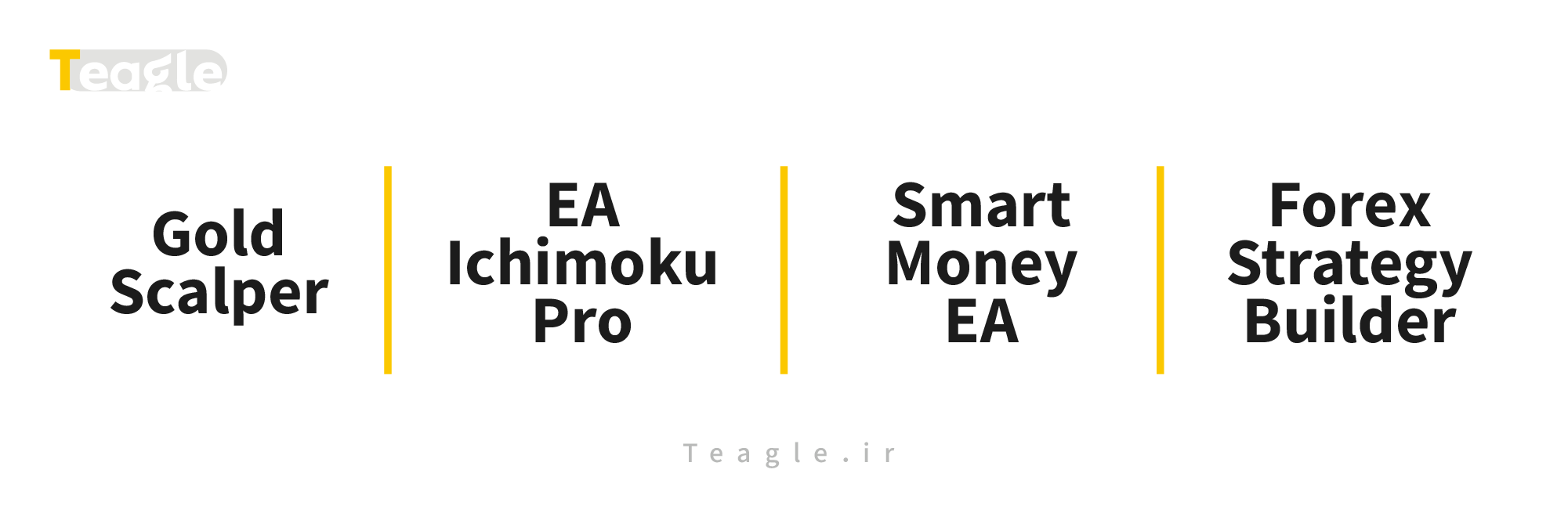
List of the Best Forex Expert Advisors to Download
Our team has compiled a list of the best free and paid forex expert advisors that have been tested by thousands of traders in recent years:
|
EA name |
Strategy type |
MetaTrader version |
Special feature |
|
Scalping on XAU/USD |
MT4 |
Optimized for gold |
|
|
EA Ichimoku Pro |
Ichimoku and trend analysis |
MT5 |
Fast and accurate |
|
Smart Money EA |
Automated money management |
MT4 |
Strong risk control |
|
Forex Strategy Builder |
Robot-building software |
Standalone |
Compatible with forex robot building |
Safety Tips Before Downloading a Forex Trading Robot
Before you download a MetaTrader 4 or 5 robot for free, check the authenticity of the source and be sure to test the version on a demo account first, because some robots may contain malicious code or incorrect settings. When downloading a forex trading robot, it is best to keep the following in mind:
· Evaluate user reviews and the EA's rating on the MQL5 website.
· Review the source code to make sure it is secure.
· Use up-to-date antivirus software on your system.
Note that if you buy or download from unknown and unreliable sources, there is a risk of losing your login details or of poor performance on a live account.
Building Forex Robots and Robot Programming in MetaTrader
One of the most appealing parts of the forex world is learning to build forex robots and design custom expert advisors. By mastering MQL4 and MQL5, traders can implement their strategy as a precise program.
Learning Forex EA Programming with MQL4/5
The MQL4 and MQL5 programming languages are the foundation for building and editing expert advisors. These languages are very similar to C++ and are designed for direct communication and interaction with the market. The steps of forex EA programming are as follows:
1. Learning the code structure in Meta Editor
2. Defining variables and entry and exit rules
3. Initial testing on a demo account
4. Optimizing parameters for maximum return
Tools Needed for Robot Programming in MetaTrader
For designing and programming a forex robot, tools such as Meta Editor, the software Forex Strategy Builder and Backtest Simulator are essential.
|
Tool |
Use |
Version |
|
Meta Editor |
EA coding environment |
Built into MT4/MT5 |
|
Forex Strategy Builder |
No-code building |
Standalone version |
|
Strategy Tester |
Backtesting robots |
Built into MT4 |
Which Is the Best Forex Expert Advisor? Comparison and Performance Review
The best forex expert advisor differs depending on each trader's strategy. Scalper EAs are better suited to volatile markets, while forex money management EAs can be said to prioritize risk control. When choosing the best forex expert advisor, you should consider the following:
· Consistent performance over a long period
· Profit-to-loss ratio (Risk/Reward)
· Compatibility with the broker and low spreads.
Copy-Trading EAs vs. Algorithmic Robots
Copy-trading EAs mimic other traders' real trades, whereas algorithmic trading robots make decisions based on mathematical models. In other words, one is based on human experience and the other on statistical data.
|
System type |
Decision source |
Advantage |
Limitation |
|
Copy trading |
Real trader |
Simplicity and steady profit |
Requires monitoring |
|
Algorithmic |
Statistical data |
Speed and mathematical logic |
Risk of algorithmic error |
Testing and Backtesting an Algorithmic Trading Robot Before Use
In a complete and detailed definition, backtesting is a process for evaluating a robot's performance on past market data. MetaTrader software supports backtesting expert advisors in MetaTrader 4 and 5. Points to consider in professional backtesting include the following:
· Setting an appropriate time range (6 months to 1 year)
· Using the broker's accurate historical data
· Reviewing results for profit, loss and the percentage of winning trades
Frequently Asked Questions About Expert Advisors or Trading Robots in Forex
Are free expert advisors profitable?
Free expert advisors may be profitable under certain conditions, but in general they offer no guarantee of consistent performance. Professional expert advisors are usually designed by technical teams and undergo continuous backtesting.
One common mistake is relying entirely on a free profitable forex expert advisor without any personal analysis; combining human analysis with a robot delivers the best results in the forex market.
How do you optimize a forex expert advisor?
Optimizing an expert advisor involves fine-tuning its parameters and matching it to your account type, and the Optimizer tool in MetaTrader exists for exactly this purpose.
Optimization steps:
1. Select key parameters such as stop loss and trade volume.
2. Run multiple tests on different market data.
3. Record the results and choose the best-performing combination.
By following these steps, a trading expert advisor can multiply its profitability several times over.
Contents of this article


Related articles



User reviews

Newest
 Upload image